
Taqtics is always evolving, and this section is your go-to hub to stay in the loop. Every month, we roll out new improvements, features, and performance upgrades to help you run operations better, faster, and smarter. Under this page, you’ll find detailed Monthly Release Notes and a spotlight on major Feature Highlights — so you never miss what’s changed or what’s cool. Whether you're an admin, manager, or store user, this keeps you in the know.
🎉 Taqtics Product Release Update January 2026
This release brings powerful AI insights, richer reporting, better control on tickets, and multiple creator-experience enhancements across Reports, Creator Mode, Tickets, Processes, and Assets.
📊 Reports & Analytics Enhancements
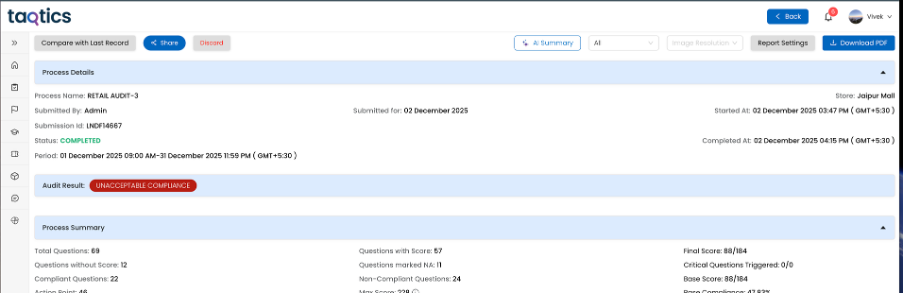
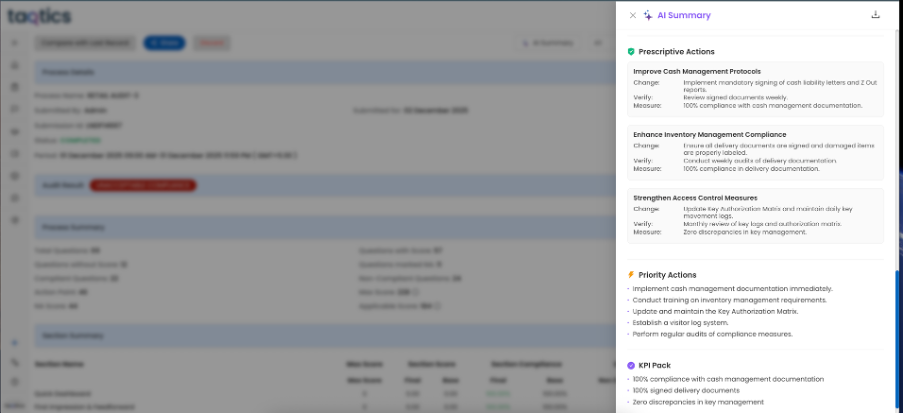
🔹 AI-Based Risk Summary for Audits & Processes
AI-generated risk summaries can now be displayed in Reports.
(Available only for tenants with AI activated)
🔹 BI Dashboard horizontal graph enhancements
Improved readability and layout for group charts, now supports horizontal bar charts
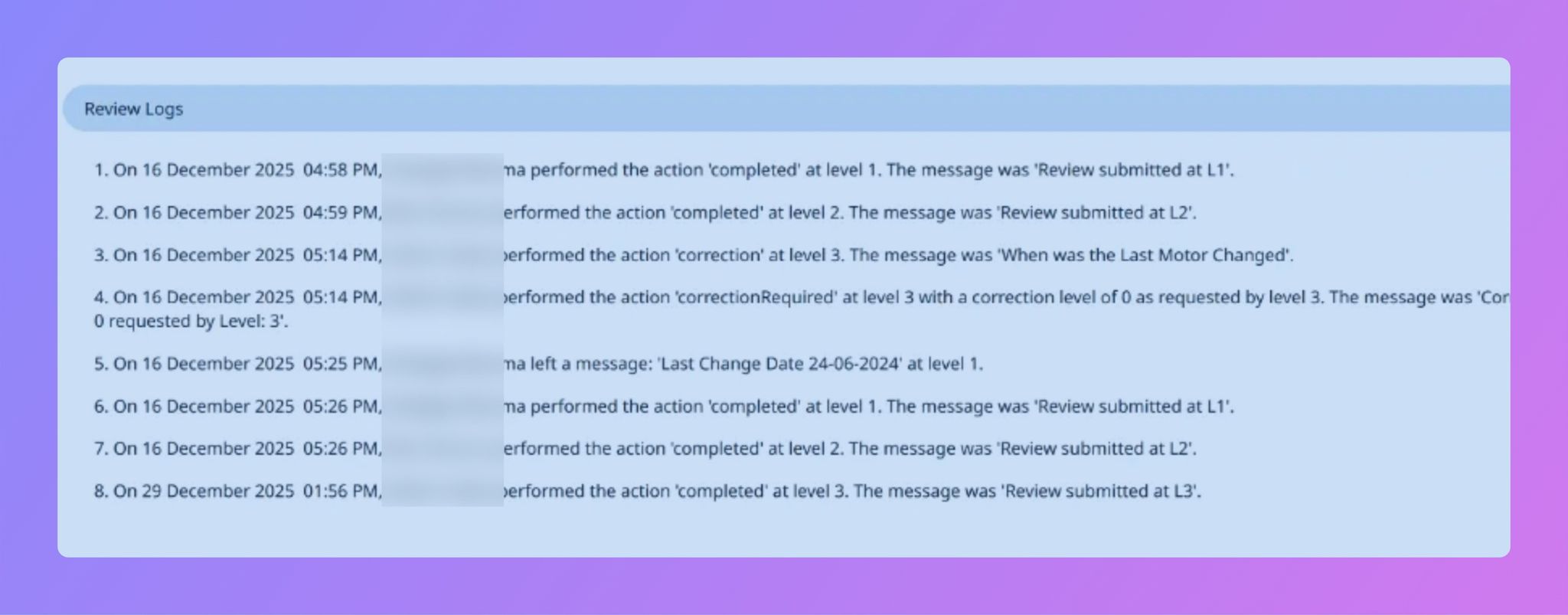
🔹 Review Comments in Reports & PDFs
Reviewer comments are now visible as structured Event Logs in:
- Submission Reports
- PDF Exports
- Visual Reports PPT
🔹 CSV Downloads with Event Logs
CSV exports now include event log columns across:
- Org Report
- My Report
- Store Report
- Process Report
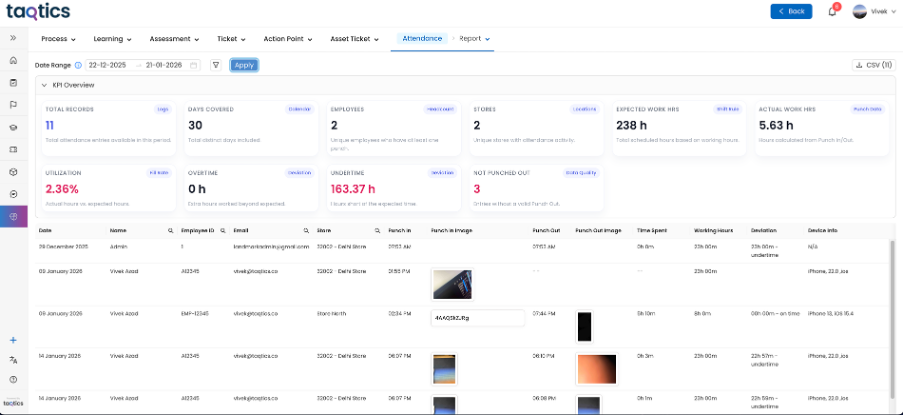
🔹 Attendance Report in Standard Reports
Attendance reports are now available as part of normal reporting, visible based on hierarchy and tenant configuration.
🔹 Multi-Select & Comma-Separated Answers in BI
Short answers with multiple selections now appear as independent values in BI dashboards, improving aggregation accuracy.
🔹 Org Report Setting Enhancement
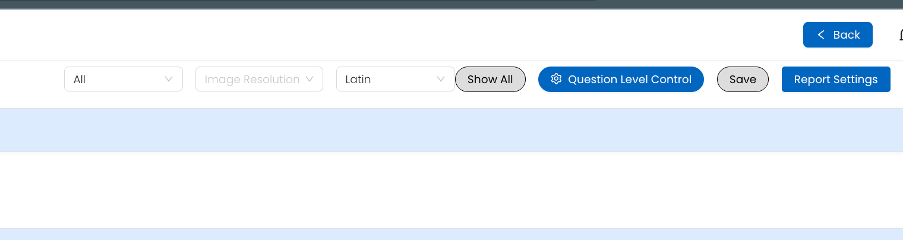
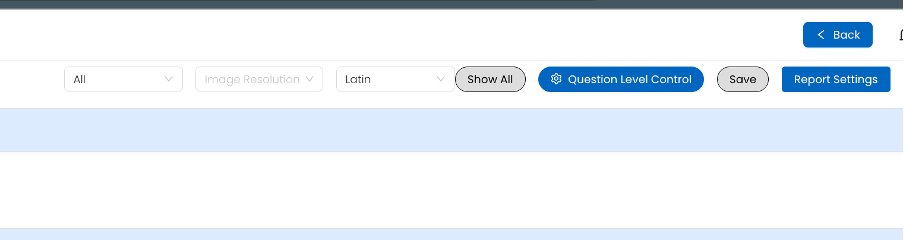
Option to display all questions of a form, even when dependent responses are not triggered.
Creator can choose to do granular configuration using “Question Level Control”
🔹 Remove “Powered by Taqtics” from PDF Reports
Creators can now remove branding from PDF report pages.

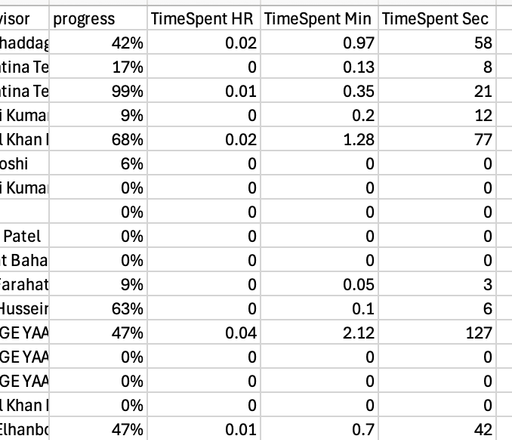
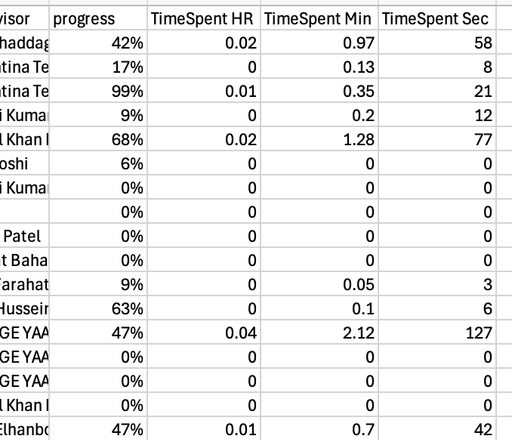
🔹 Learning Reports now show the data in Hour, Minutes and Seconds uniquely
🎓 Creator Mode Improvements
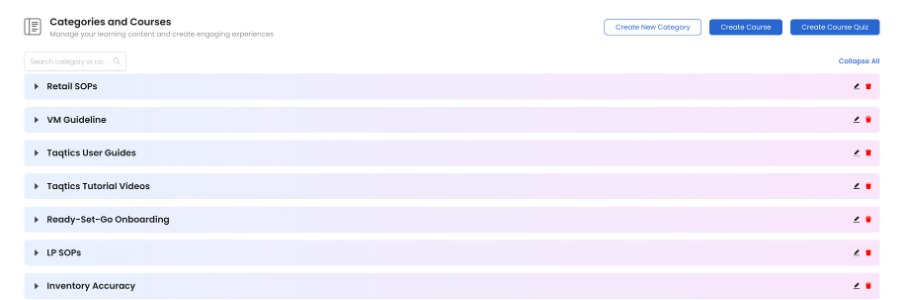
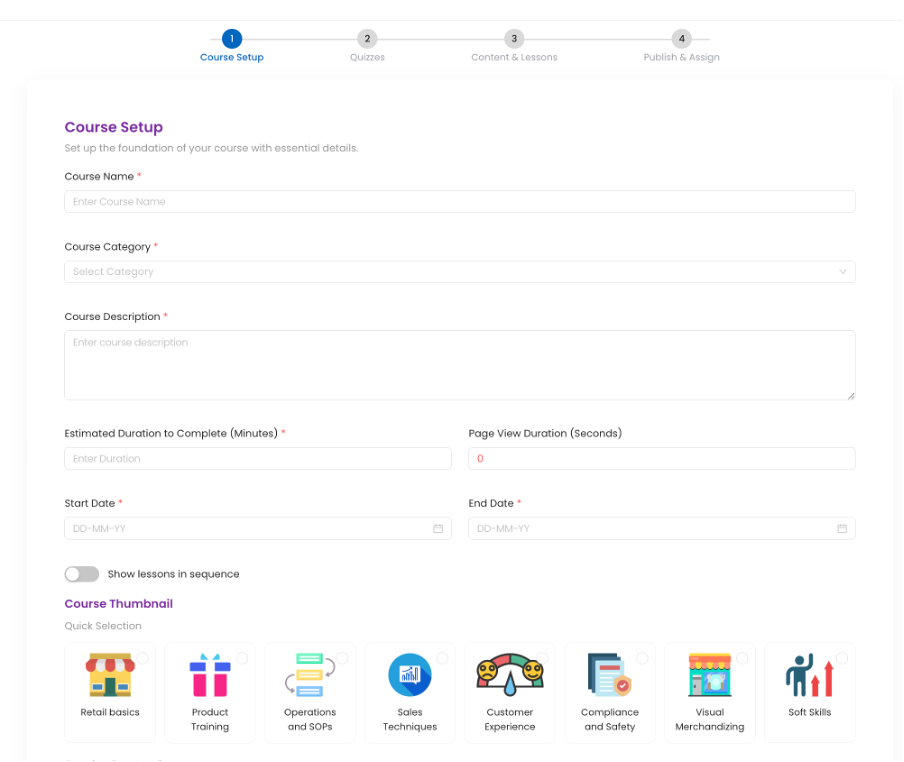
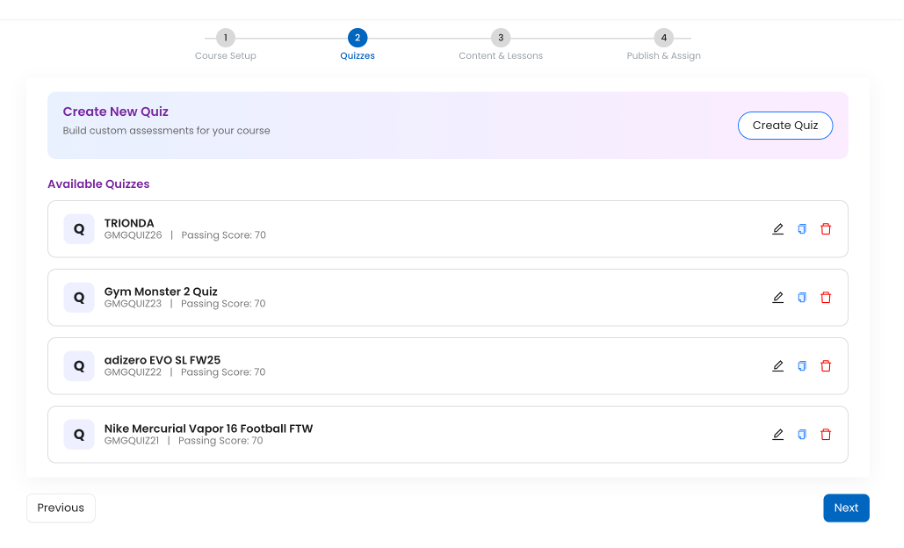
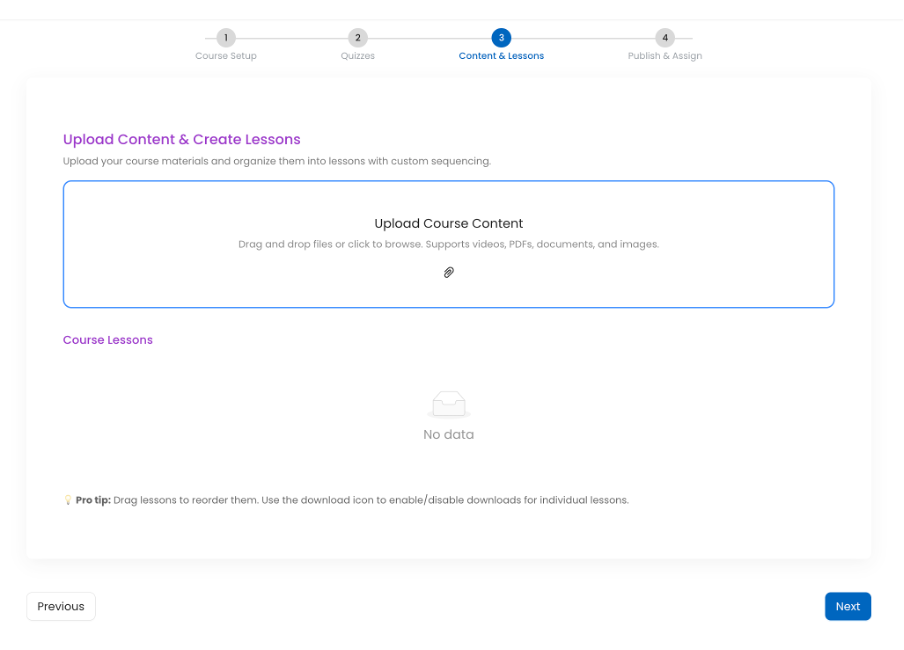
✨ Learning Management Creator Flow Refresh
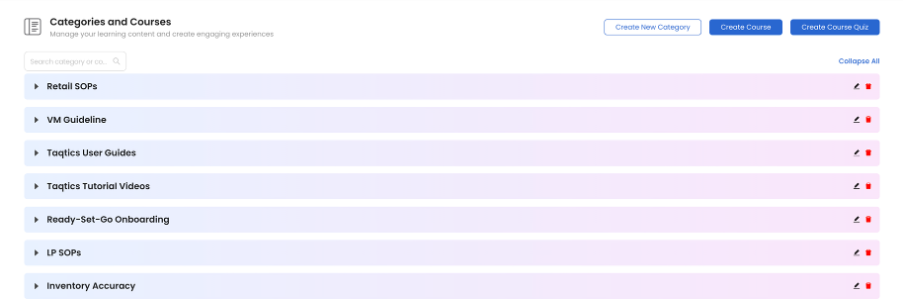
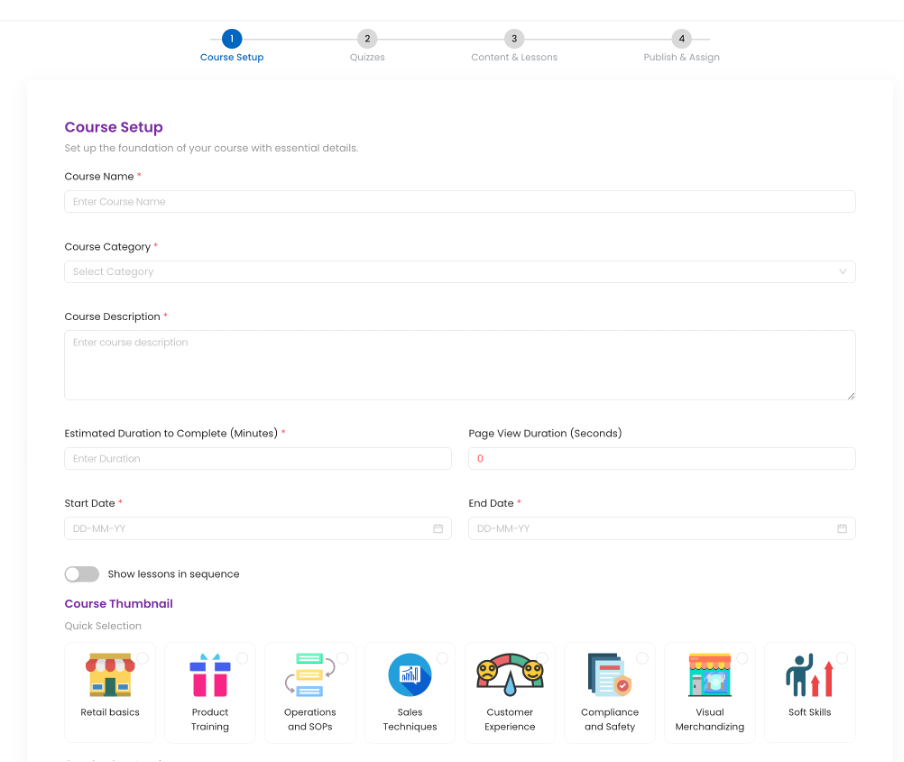
The course creation and management flow now features a modern, contemporary design.
✨ Summary Insights Added Across Key Pages
Quick summary sections have been added at the top of key Creator Mode pages to provide instant visibility and insights, including:
- Users
- Entity
- Process
- Audit
These summaries help admins and creators quickly understand scale, status, and distribution without scanning full lists.

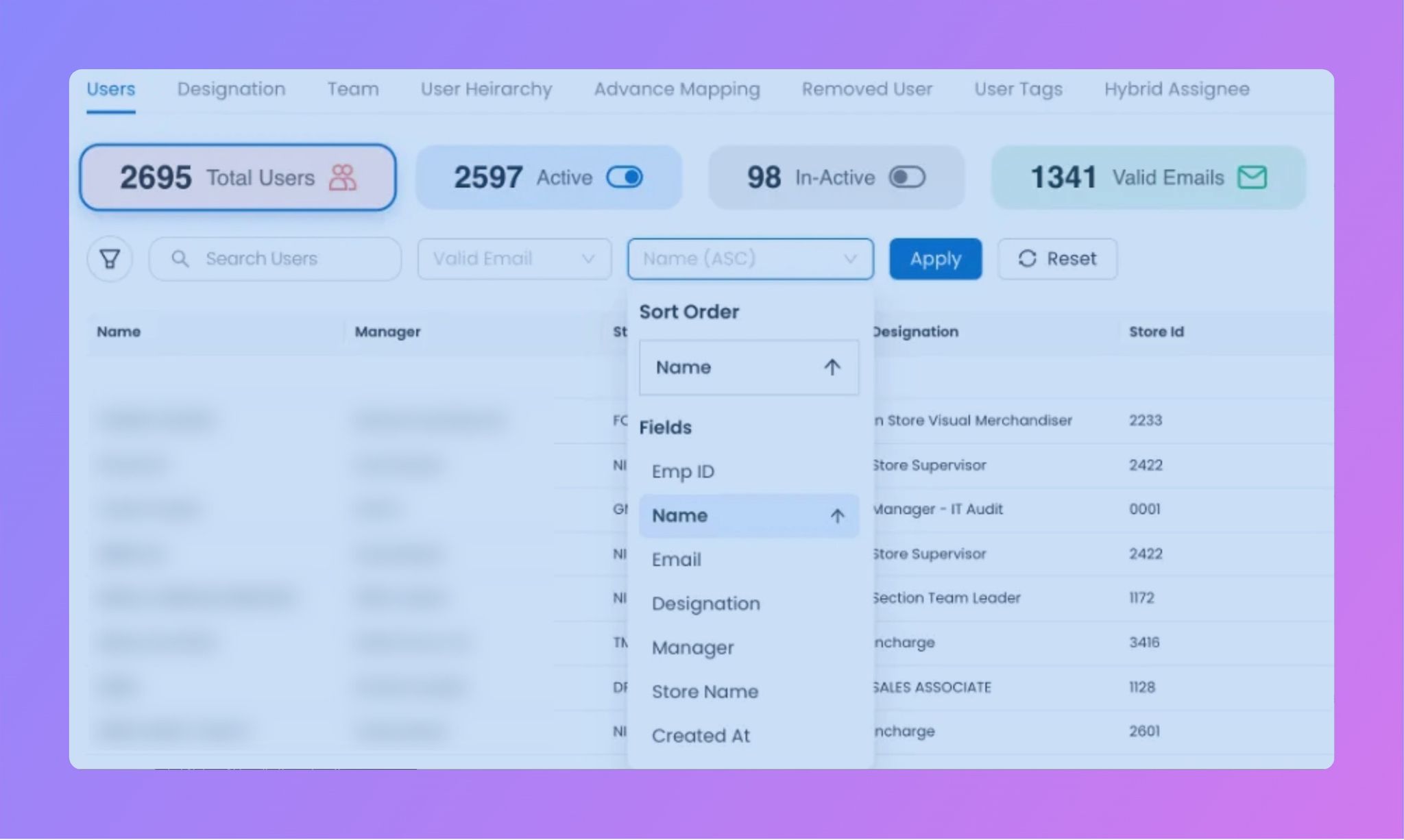
✨ Improved Search & Sorting for Users and Stores
The search experience for Users and Entities (Stores) has been enhanced to be more intuitive and faster, with:
- Optimized search responsiveness
- Ascending and descending sorting support
- Improved field-based sorting for quicker discovery and management
This significantly improves usability, especially for large datasets.
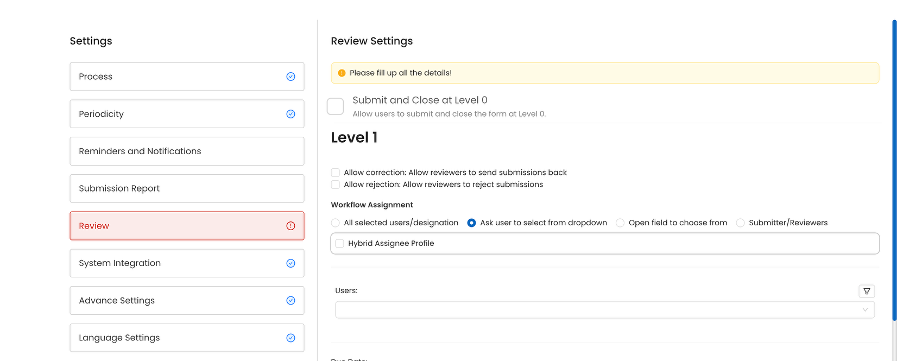
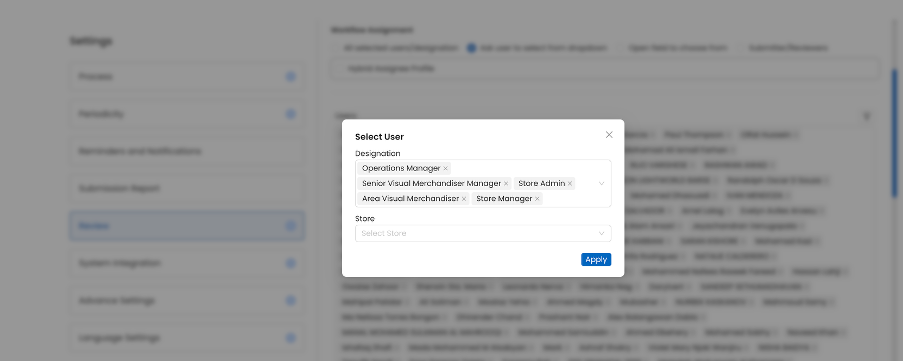
✨ Designation-Based Assignee Selection on “Ask user to select form dropdown”
Creators can now assign tasks or learning to users by selecting a designation from a dropdown.
✨ Download Video Files from Courses
Video files can now be downloaded directly from the Create Course and Edit Course flows.
✨ Hide Inactive Users from Assignee Pages
Inactive users are no longer shown while assigning tasks, tickets, or courses.
✨ New Assessment Certificate Template
Added a new certificate design with an optional Show Score toggle.
🎫 Tickets & Action Points Enhancements
⏱️ Cumulative On-Hold Duration Tracking
On-hold time is now calculated cumulatively across the lifecycle of a ticket or action point.
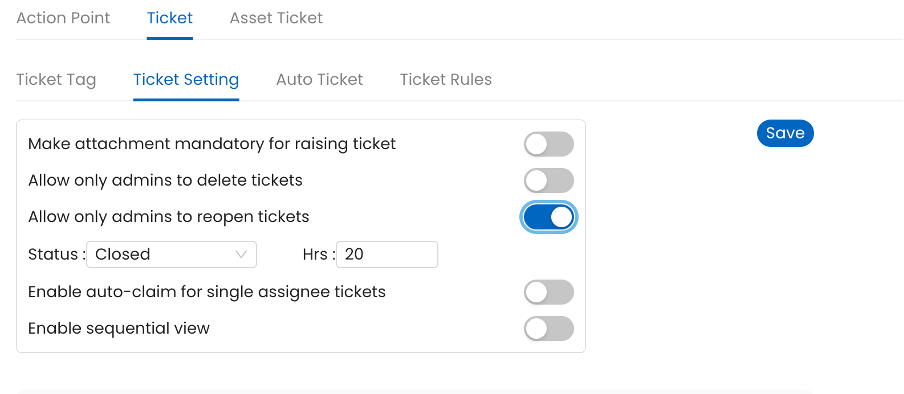
🔐 Configurable Reopen Controls
Tickets and Action Points can now be configured to:
- Be reopened only by Admin
- Allow reopening only after a defined time interval
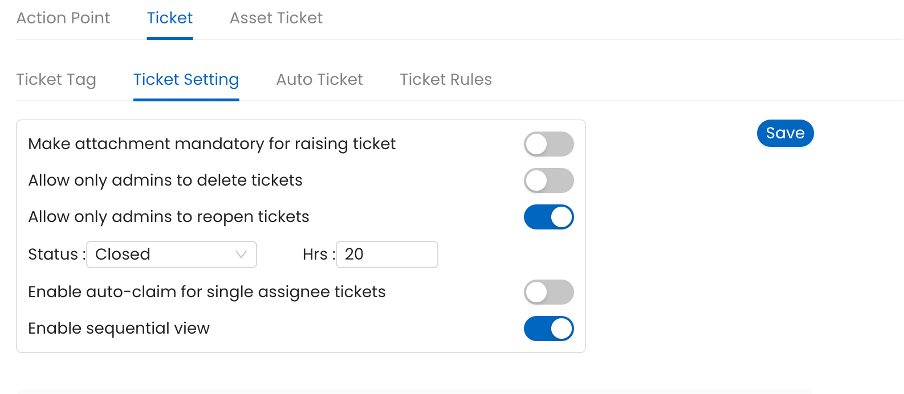
🧭 Ticket Drill-Down now support sequential drill down
Enhanced drill-down experience with a sequential view for better user experience
📝 Process & Audit Updates
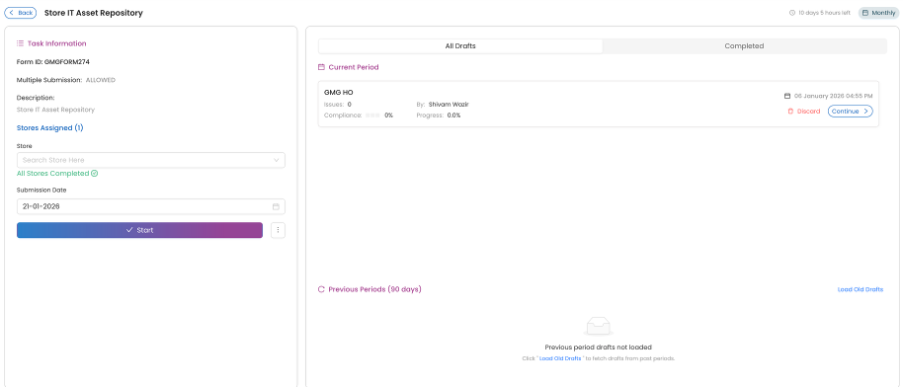
🖌️ Process Detail Screen Refresh
The Process Detail screen has been redesigned to align with the latest contemporary UI standards.
🧩 Assets Module Enhancement
📦Multi-Select Question Support in Asset Tables
Assets now support multi-select question types, enabling richer asset metadata management
🧱 Built with ❤️ by the Taqtics Product Team
🎉 Taqtics Product Release Update January 2026
This release brings powerful AI insights, richer reporting, better control on tickets, and multiple creator-experience enhancements across Reports, Creator Mode, Tickets, Processes, and Assets.
📊 Reports & Analytics Enhancements
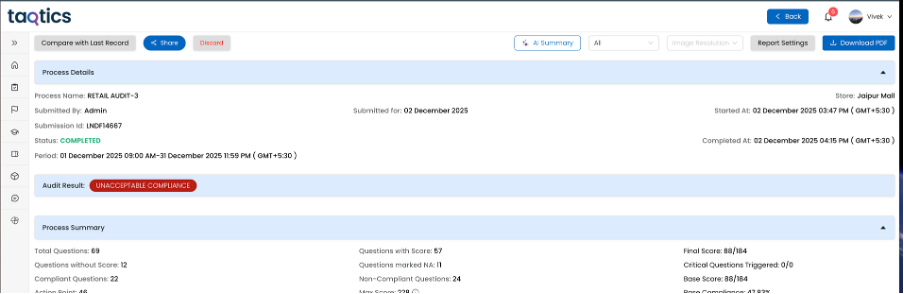
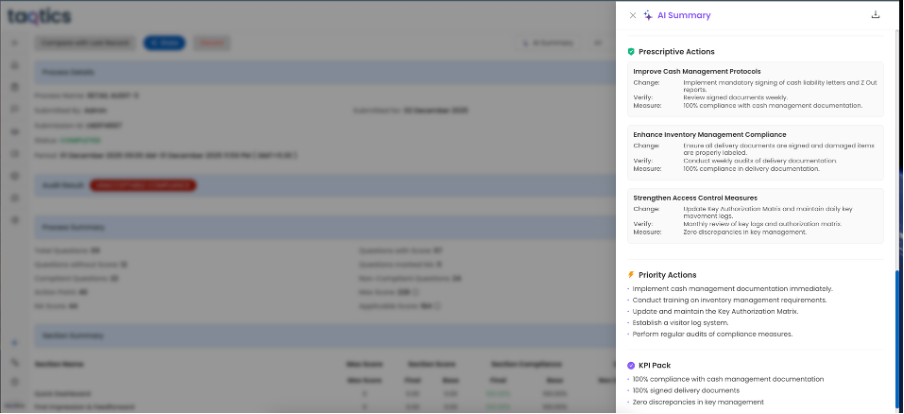
🔹 AI-Based Risk Summary for Audits & Processes
AI-generated risk summaries can now be displayed in Reports.
(Available only for tenants with AI activated)
🔹 BI Dashboard horizontal graph enhancements
Improved readability and layout for group charts, now supports horizontal bar charts
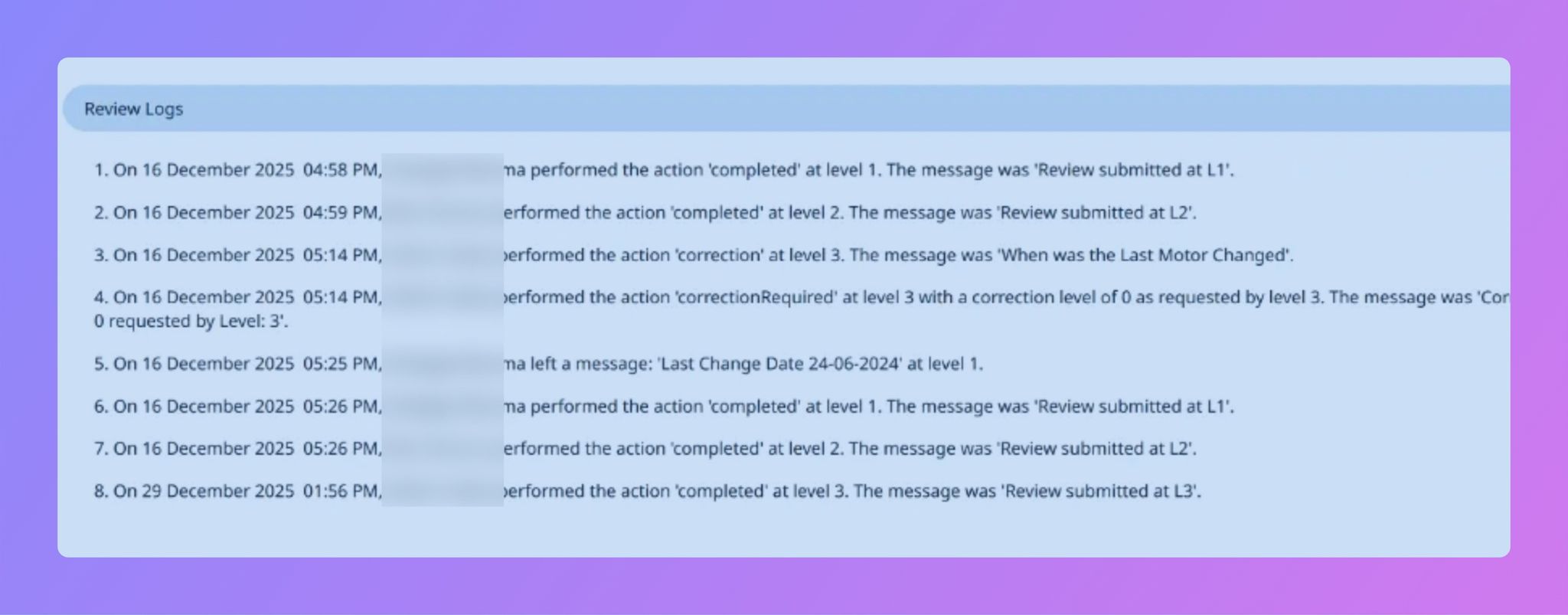
🔹 Review Comments in Reports & PDFs
Reviewer comments are now visible as structured Event Logs in:
- Submission Reports
- PDF Exports
- Visual Reports PPT
🔹 CSV Downloads with Event Logs
CSV exports now include event log columns across:
- Org Report
- My Report
- Store Report
- Process Report
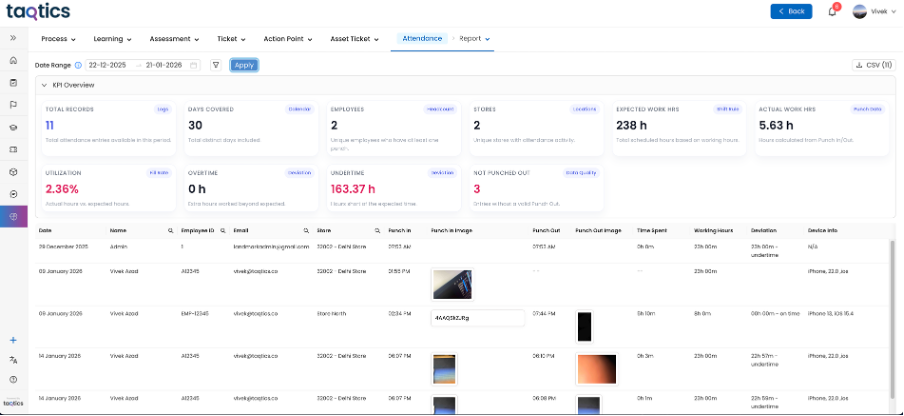
🔹 Attendance Report in Standard Reports
Attendance reports are now available as part of normal reporting, visible based on hierarchy and tenant configuration.
🔹 Multi-Select & Comma-Separated Answers in BI
Short answers with multiple selections now appear as independent values in BI dashboards, improving aggregation accuracy.
🔹 Org Report Setting Enhancement
Option to display all questions of a form, even when dependent responses are not triggered.
Creator can choose to do granular configuration using “Question Level Control”
🔹 Remove “Powered by Taqtics” from PDF Reports
Creators can now remove branding from PDF report pages.

🔹 Learning Reports now show the data in Hour, Minutes and Seconds uniquely
🎓 Creator Mode Improvements
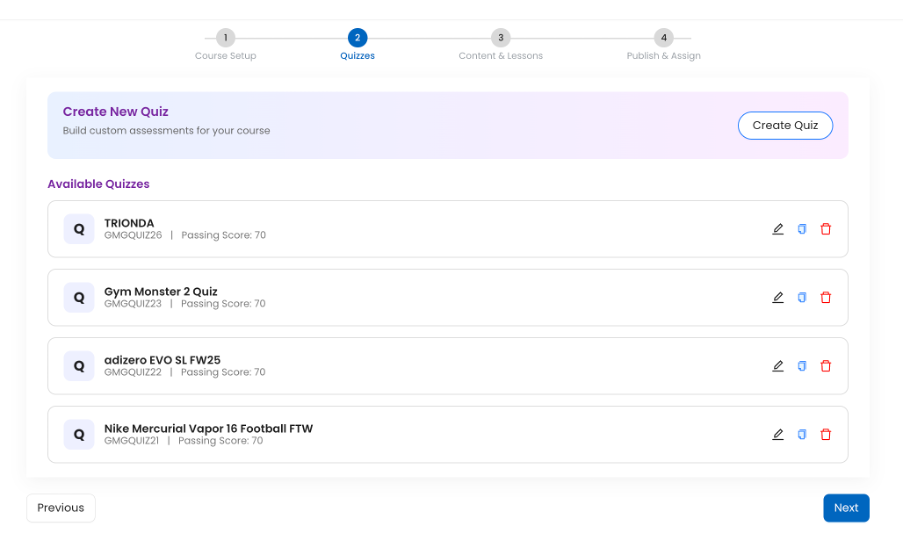
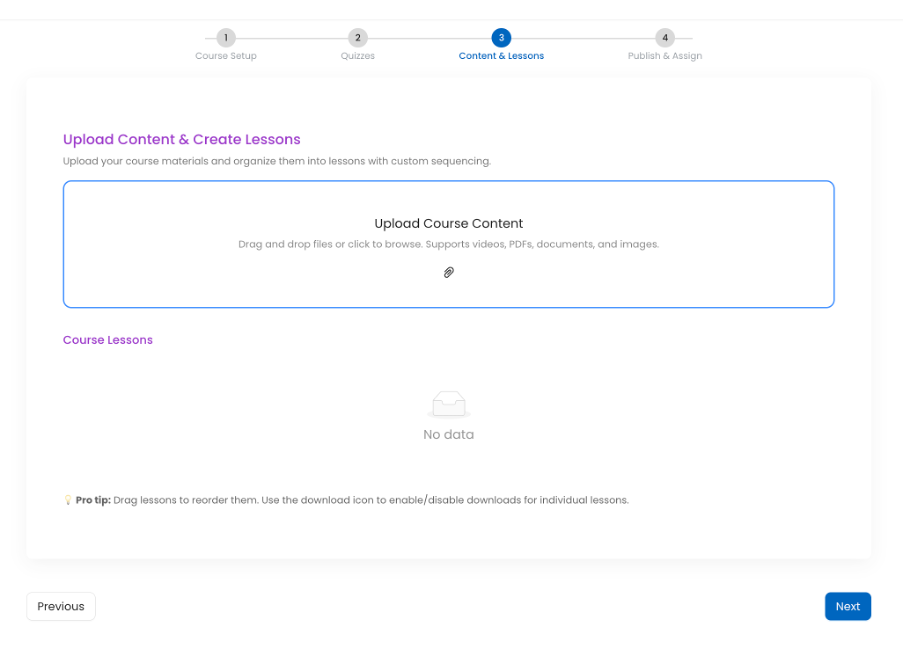
✨ Learning Management Creator Flow Refresh
The course creation and management flow now features a modern, contemporary design.
✨ Summary Insights Added Across Key Pages
Quick summary sections have been added at the top of key Creator Mode pages to provide instant visibility and insights, including:
- Users
- Entity
- Process
- Audit
These summaries help admins and creators quickly understand scale, status, and distribution without scanning full lists.

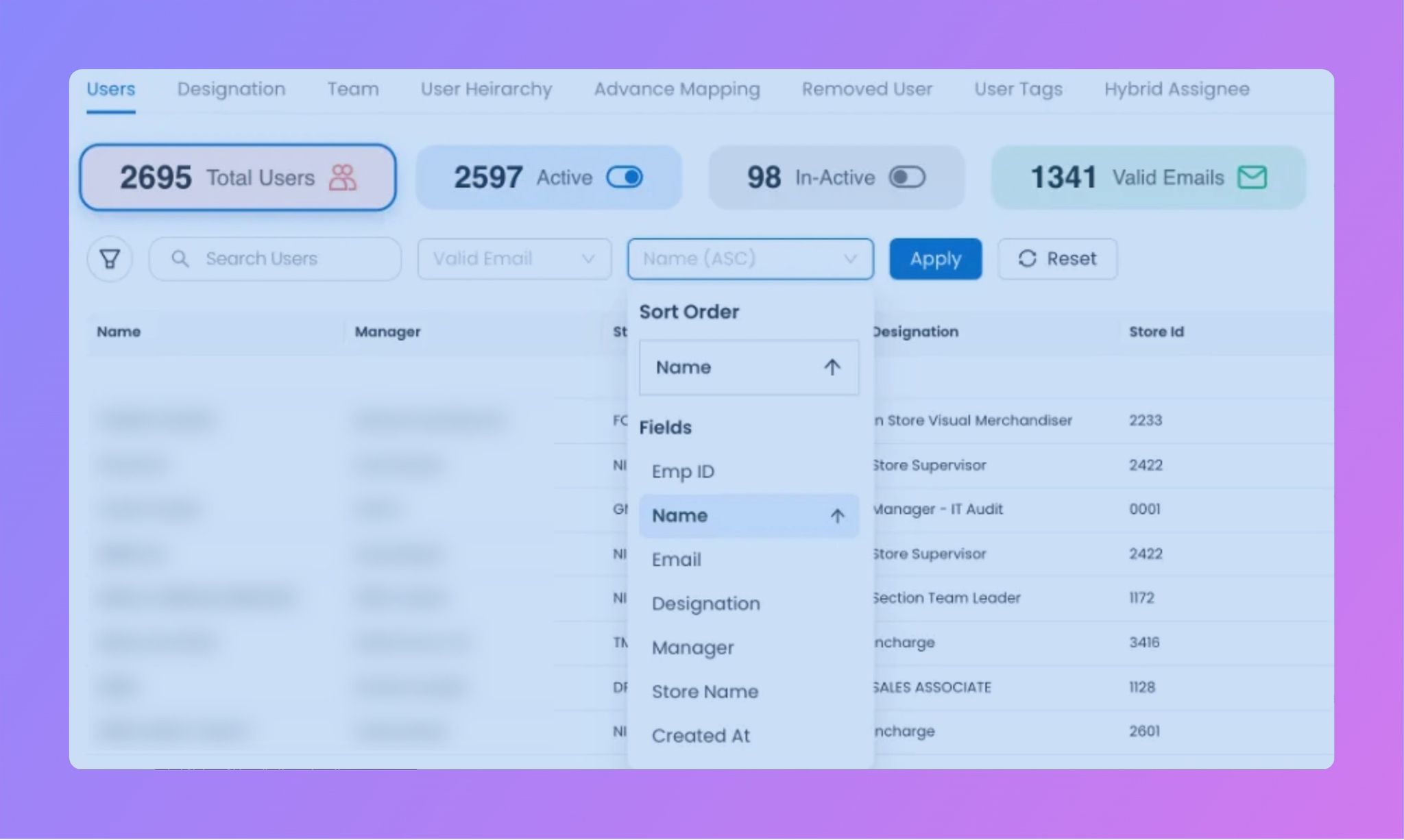
✨ Improved Search & Sorting for Users and Stores
The search experience for Users and Entities (Stores) has been enhanced to be more intuitive and faster, with:
- Optimized search responsiveness
- Ascending and descending sorting support
- Improved field-based sorting for quicker discovery and management
This significantly improves usability, especially for large datasets.
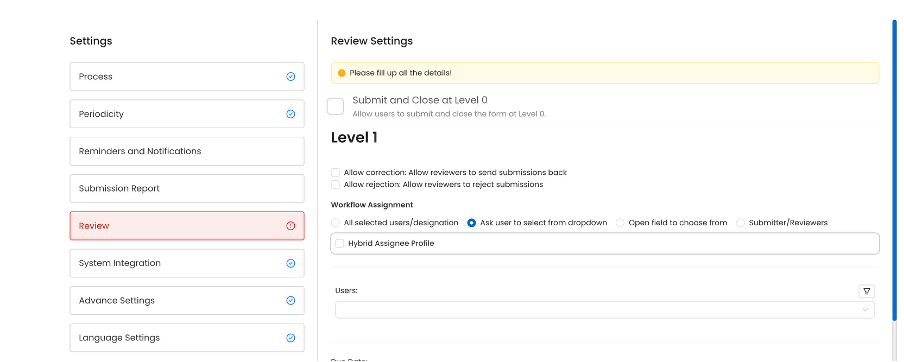
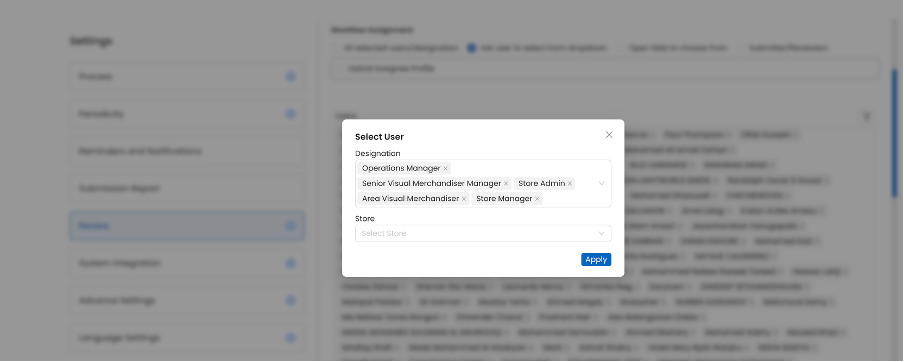
✨ Designation-Based Assignee Selection on “Ask user to select form dropdown”
Creators can now assign tasks or learning to users by selecting a designation from a dropdown.
✨ Download Video Files from Courses
Video files can now be downloaded directly from the Create Course and Edit Course flows.
✨ Hide Inactive Users from Assignee Pages
Inactive users are no longer shown while assigning tasks, tickets, or courses.
✨ New Assessment Certificate Template
Added a new certificate design with an optional Show Score toggle.
🎫 Tickets & Action Points Enhancements
⏱️ Cumulative On-Hold Duration Tracking
On-hold time is now calculated cumulatively across the lifecycle of a ticket or action point.
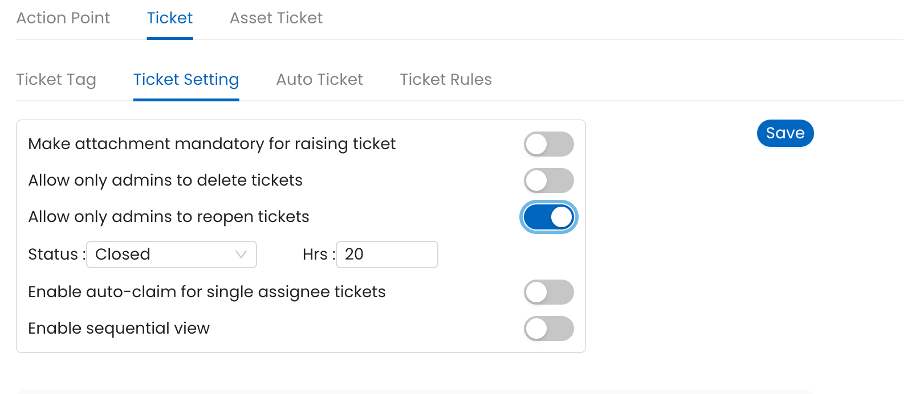
🔐 Configurable Reopen Controls
Tickets and Action Points can now be configured to:
- Be reopened only by Admin
- Allow reopening only after a defined time interval
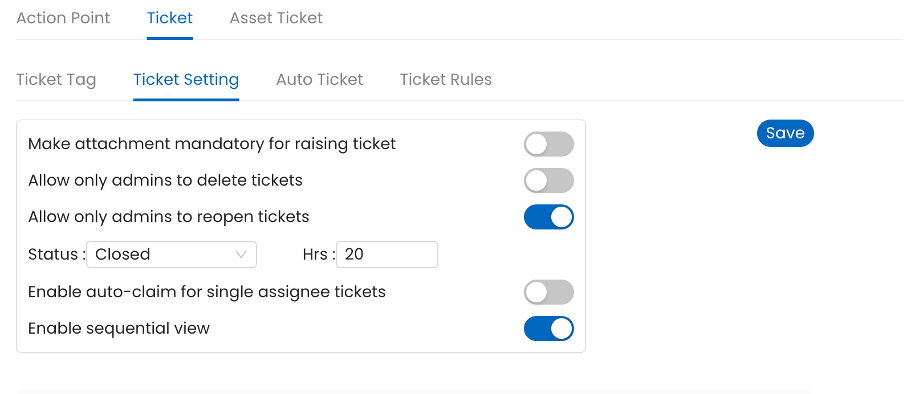
🧭 Ticket Drill-Down now support sequential drill down
Enhanced drill-down experience with a sequential view for better user experience
📝 Process & Audit Updates
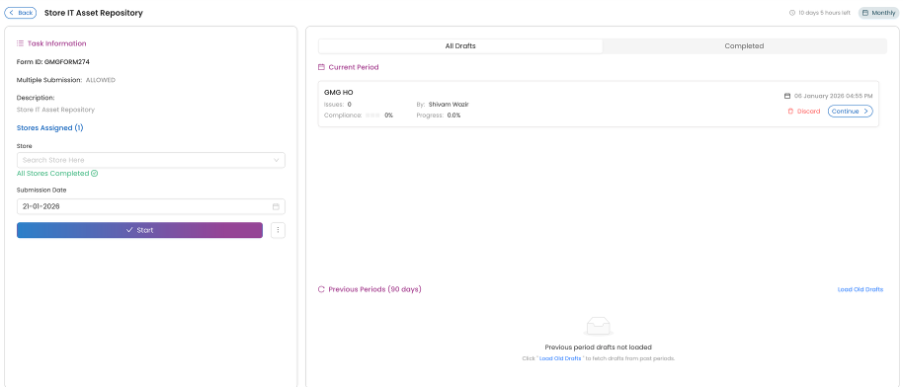
🖌️ Process Detail Screen Refresh
The Process Detail screen has been redesigned to align with the latest contemporary UI standards.
🧩 Assets Module Enhancement
📦Multi-Select Question Support in Asset Tables
Assets now support multi-select question types, enabling richer asset metadata management
🧱 Built with ❤️ by the Taqtics Product Team
Continue with 👇
Monthly Release Notes