
💡
Device : Web , Mobile
Feature | Store Employee | Store Manager | Area Manager | Admin |
Alerts & Activity | ✅ | ✅ | ✅ | ✅ |
What are account notifications?
Account notifications are system-generated alerts triggered by specific actions or events on the Taqtics platform. These alerts help you stay updated on actions or changes relevant to your responsibilities — like tickets assigned to you, status updates, or comments made by others.
Notifications triggers on taqtics
Process
Audits
Tickets
Know your Ticket Alerts
Objective
By the end of this section, you’ll be familiar with the Ticket alerts —key details present on the alerts—so you can confidently explore your ticket notifications.
Interface Guide
Video Walkthrough
Text Guide
These are the 5 types of notifications a user may receive related to tickets on Taqtics. Each notification is structured with a bold heading, followed by a short description, and a timestamp. These notifications always have a "Ticket" tag on the top-right to visually differentiate them from other platform alerts like workflows, courses, etc.
1. 🎫 Ticket Assignment Alert
🔹 When does this trigger?
When a new ticket is created, and one or more users or teams are assigned during creation.
🔹 Who receives it?
All users or team members who were added to the ticket at the time of creation.
🔹 Purpose
To inform the assignees that they’ve been assigned a new ticket.
⚙
Syntax:
New Ticket Assigned – Ticket ID: [TICKET_ID]Ticket – [TICKET_TITLE] has been assigned to you against [STORE_NAME][DATE & TIME]🧪 Example
New Ticket Assigned – Ticket ID: LND6401
Ticket – Broken Bread Maker has been assigned to you against Delhi Store
16 May 2025 12:41 PM
2. ➕ Added to Ticket Notification
🔹 When does this trigger?
When a ticket is already created and someone clicks the "Reassign" button on the ticket details page to assign new users, even if the ticket is closed or at any other status.
🔹 Who receives it?
Only the newly added users receive this notification.
🔹 Purpose
To inform the user that they have been added to an existing ticket.
⚙
Syntax:
Added to Ticket – Ticket ID: [TICKET_ID]You have been added to Ticket – [TICKET_TITLE] against [STORE_NAME][DATE & TIME]🧪 Example
Added to Ticket – Ticket ID: LND6396
You have been added to Ticket – Broken Ceiling against 32002 - Delhi Store
17 May 2025 03:41 PM
3. ⚠️ Ticket Attention Required
🔹 When does this trigger?
🔹 Who receives it?
All users currently assigned to the ticket.
🔹 Purpose
To nudge assigned users that the ticket requires their attention.
⚙
Syntax:
[TICKET_TITLE]Attention: The ticket with ID [TICKET_ID] ([TICKET_TITLE]) requires your attention for rectification. Kindly address the matter and mark it as completed.[DATE & TIME]🧪 Example
Window Glass Broken
Attention: The ticket with ID LND6212 (Window Glass Broken) requires your attention for rectification. Kindly address the matter and mark it as completed.
14 May 2025 11:41 AM
4. 🔄 Ticket Status Update
🔹 When does this trigger?
When the status of the ticket is changed by any assignee (e.g., from Open to On Hold, or from On Hold to Completed).
🔹 Who receives it?
All other assignees, except the person performing the update.
🔹 Purpose
To notify others on the ticket that an update has occurred.
⚙
Syntax:
[TICKET_TITLE]Update: Your ticket [TICKET_ID] is marked as [TICKET_STATUS][DATE & TIME]🧪 Example
AC is not cooling
Update: Your ticket LND6255 is marked as onHold
14 May 2025 11:58 AM
5. 💬 New Comment on Ticket
🔹 When does this trigger?
When any actioner of the ticket adds a comment.
🔹 Who receives it?
All assignees except the one making the comment.
🔸 Note: The creator will only be notified if they are one of the assignees.
🔹 Purpose
To alert assignees that there is a new comment with context or next steps.
⚙
Syntax:
[TICKET_ID] – [TICKET_TITLE][USERNAME] has commented on ticket “[COMMENT_TEXT]” on [DATE] at [TIME] (Timezone Info)[DATE & TIME]🧪 Example
LND6255 – AC is not cooling
Admin has commented on ticket “hey this is a test notification comment” on 14 May 2025 at 12:02:12 PM (Asia/Kolkata, GMT+5:30)
14 May 2025 12:02 PM
End of text guide
Action Points
Courses
Assessment
Assets
💡
- Last 20 alerts are shown in the Alerts & Activity
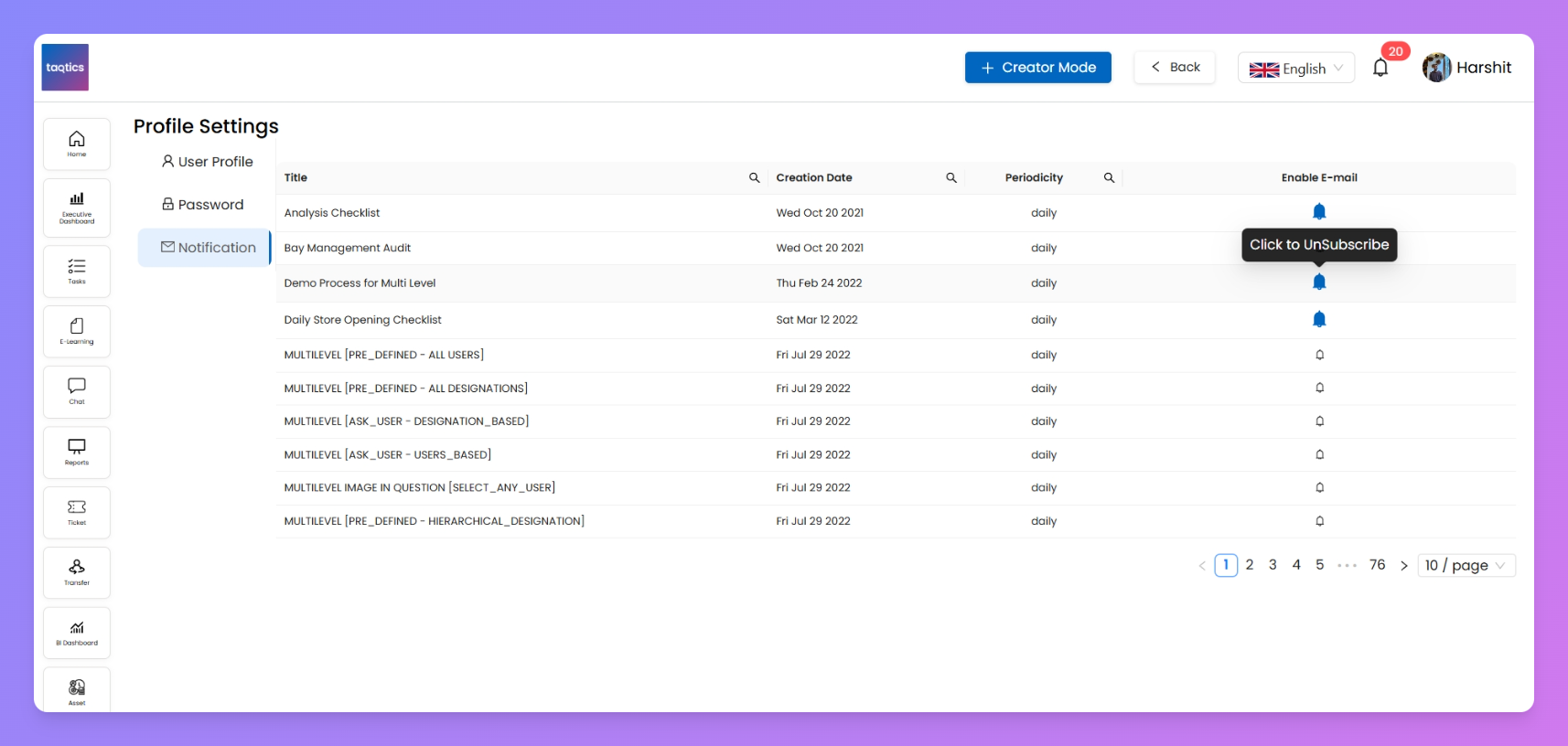
Also cover Subscribe to notifications