
Advanced Search is your go-to space for digging deep into historical action points. Here, you can pick any date range and status to see action points exactly as they appeared at that time—even if their current status has changed. Perfect for tracking histories, audit trails, or checking how things moved over time.
Filters (step by step)
- Date Range
Pick start and end dates to define your search window. This narrows results to only action points that existed during that period.
- Status Filter
Select the status (
On Hold, Open, Closed, In Progress, Completed, Reject) you want to track for your chosen time frame. This filter shows all action points that matched that status during your selected dates—even if their status is different now.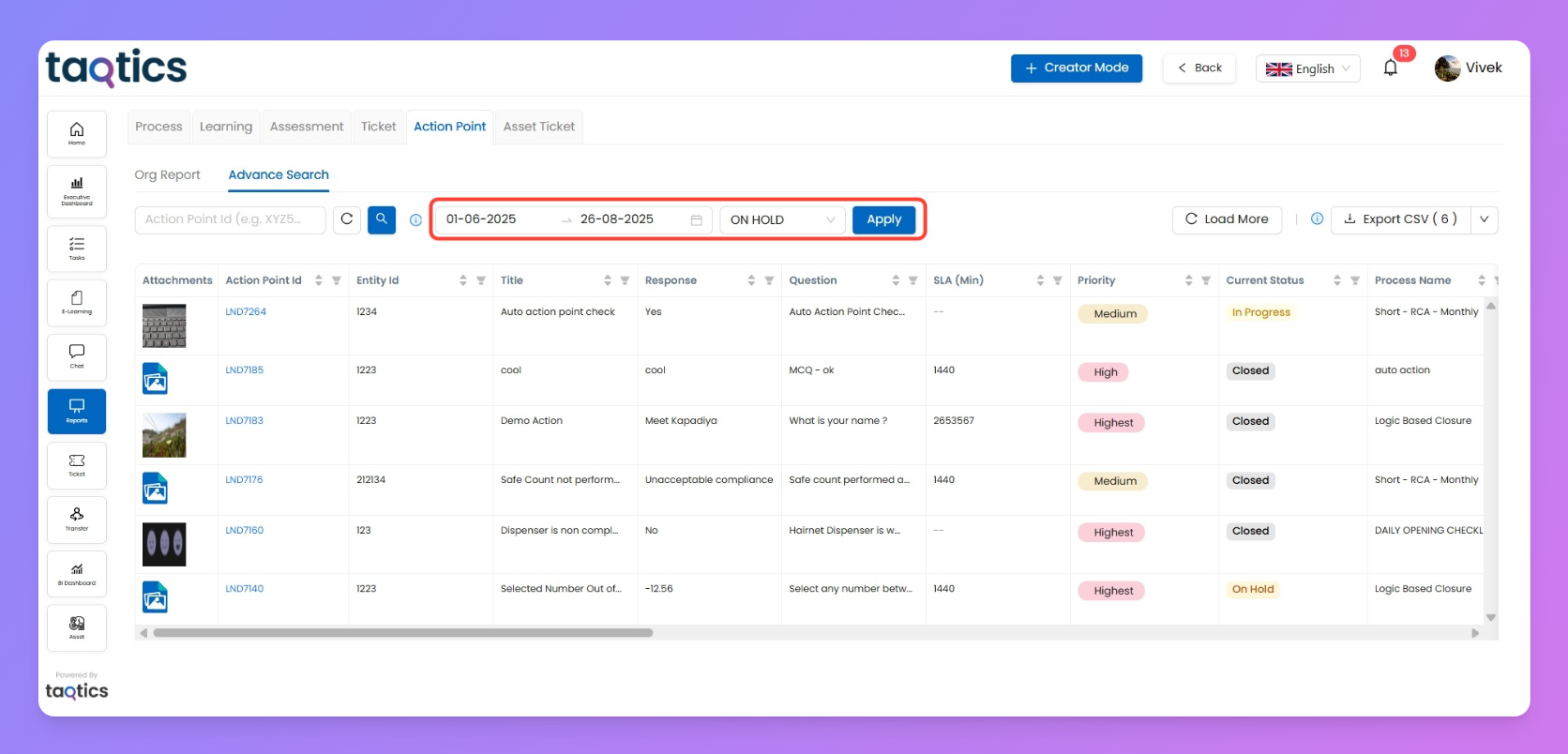
- Action Point ID Search
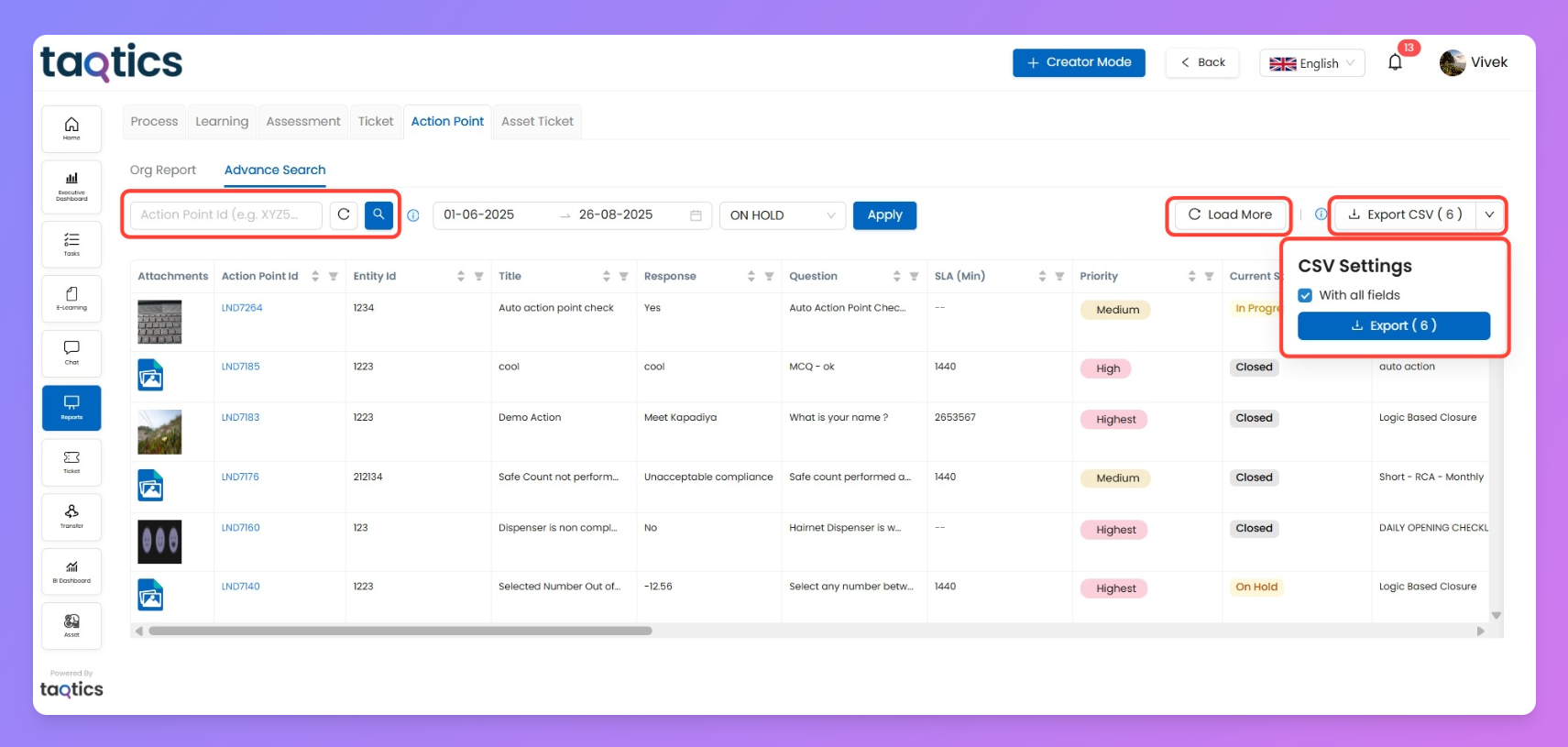
Instantly find any specific action point by typing any keyword or action point ID . This pinpoints exactly what you want to review or follow up on.
- Load More
If loads of results match your query, use Load More to fetch more rows and keep scrolling. It shows you the count versus total, helping you manage big datasets.
- Export CSV
Download exactly what’s in your grid as a CSV for sharing, offline analysis, or backup.
Click "With all fields" to export columns even if they're not currently visible. Handy for reporting and keeping team records sharp.
Difference:
Always shows the current status of action points—so it's perfect for monitoring today’s work and live follow-ups.
Advanced Report
Lets you go back in time and see what the status was for any chosen date range—even if things have changed since. Use it for audits, compliance checks, or tracking the history of issues over time.
Pick Advanced Report whenever you need historical accuracy, not just a live snapshot!