
Assessment → Org Report
Short description: Organization-level dashboard — lists all assessments created in the system with submission counts and status.
Org Report (main grid)
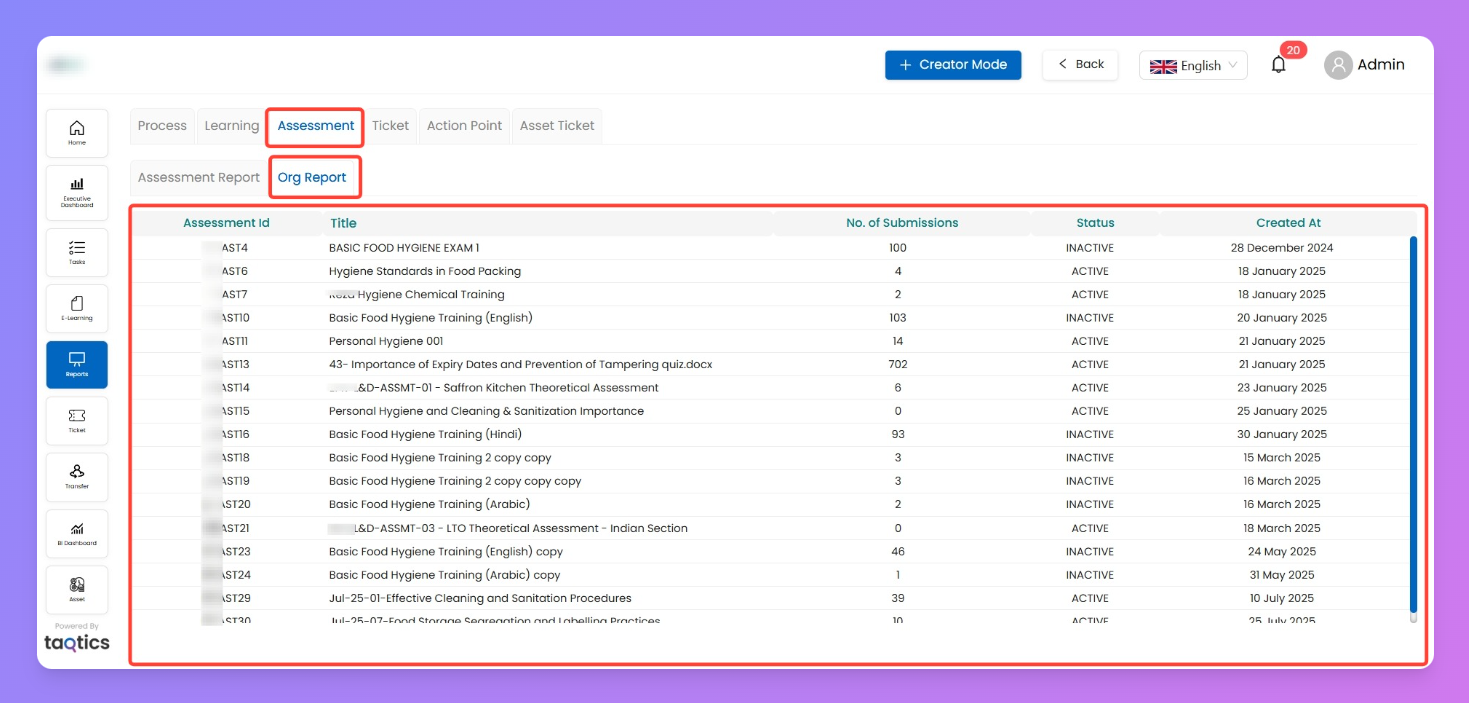
This tab shows all assessments across the organization.
Columns you’ll see:
- Assessment ID
- Title
- No. of Submissions — total count
- Status — Active / Inactive
- Created At — date of creation
Actions:
- Click on any Assessment → opens submission list
Submission List (from Org Report)
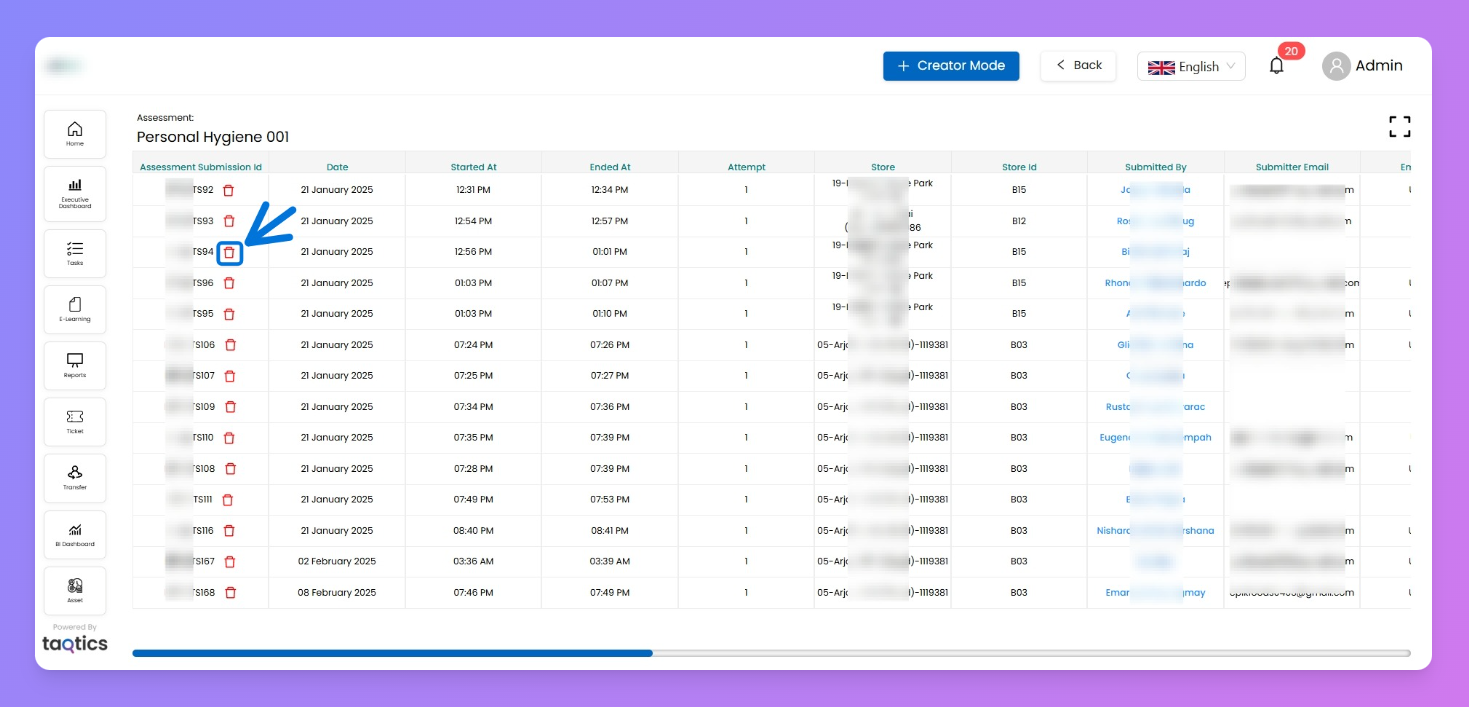
When you click an assessment, you’ll see all related submissions.
Columns you’ll see:
- Assessment Submission ID
- Date, Started At, Ended At
- Attempt number
- Store / Store ID
- Submitted By + Email
- Status (completed/pending)
- Percentage (score obtained)
- Assessment Questions
Actions:
- Delete Submission → learner retakes assessment
Notes
- Org Report focuses on the whole organization, while Assessment Report focuses on one assessment at a time
- Org Report allows drilling down to submission detail and deleting attempts.