
Advanced Search gives you the ultimate ability to filter and review historic asset tickets by exact date ranges and statuses. It’s the space for tracking how tickets changed over time, zooming in on specific assets, and exporting data for audits or planning.
Filters & Controls
- Date Range & Status (Required Core Filters)
Set your start and end dates in the date pickers, then select a status (Open, In Progress, On Hold, Completed, Closed, or Rejected) from the dropdown.
Only when both are chosen, you can click "Apply" to run your search—the grid updates to show asset tickets that had that status during your picked time frame.
- Asset Item Indexes (in Filter Drawer)
Open the filter drawer (funnel icon) and enter asset item IDs to narrow results to tickets raised against particular assets.
Use this along with status/date to find all historical issues for any equipment or inventory item.
Note: Date range and status must be used together. You can’t search with just one—set both before hitting Apply!
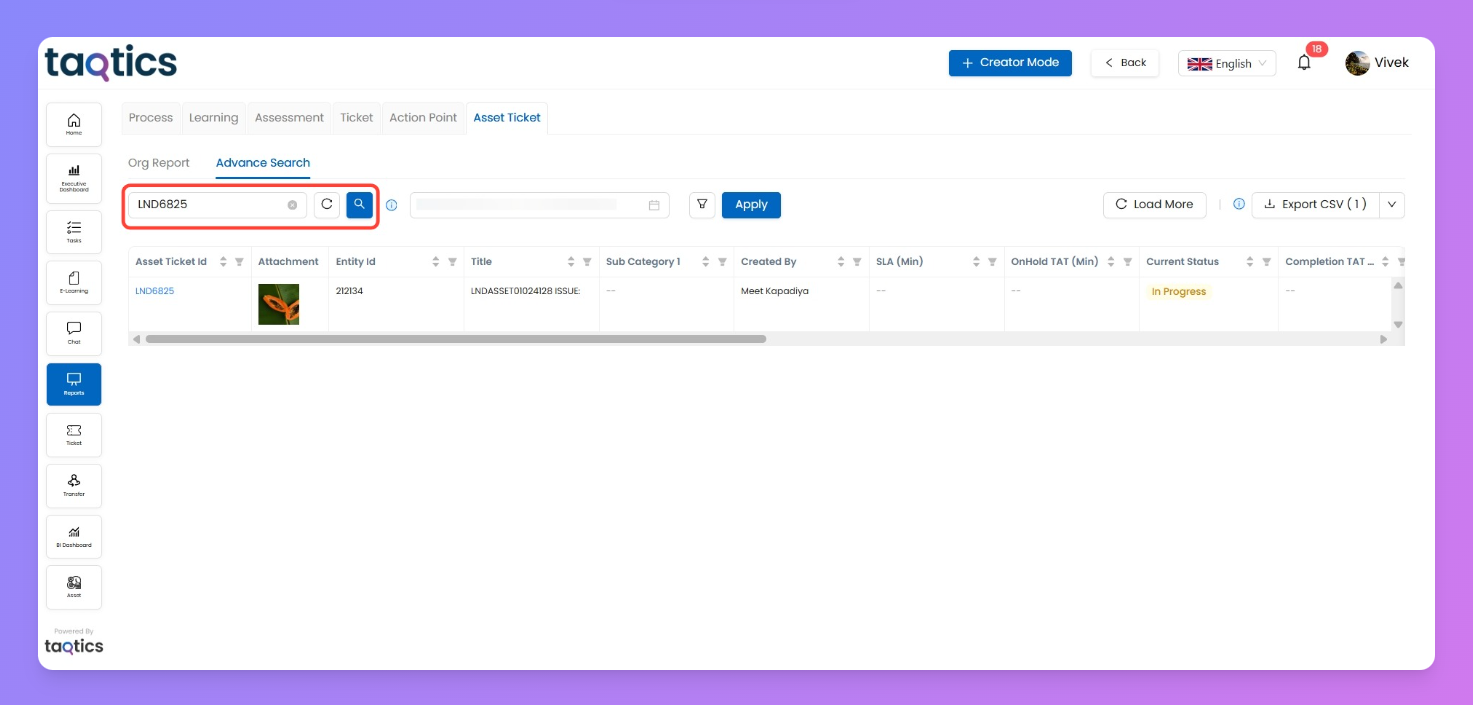
- Ticket ID Search
If you already know the ticket ID, type it in the search field and hit the search button (the magnifier icon). Perfect for pinpointing a specific ticket instantly, no matter its current or past status.
Additional Controls
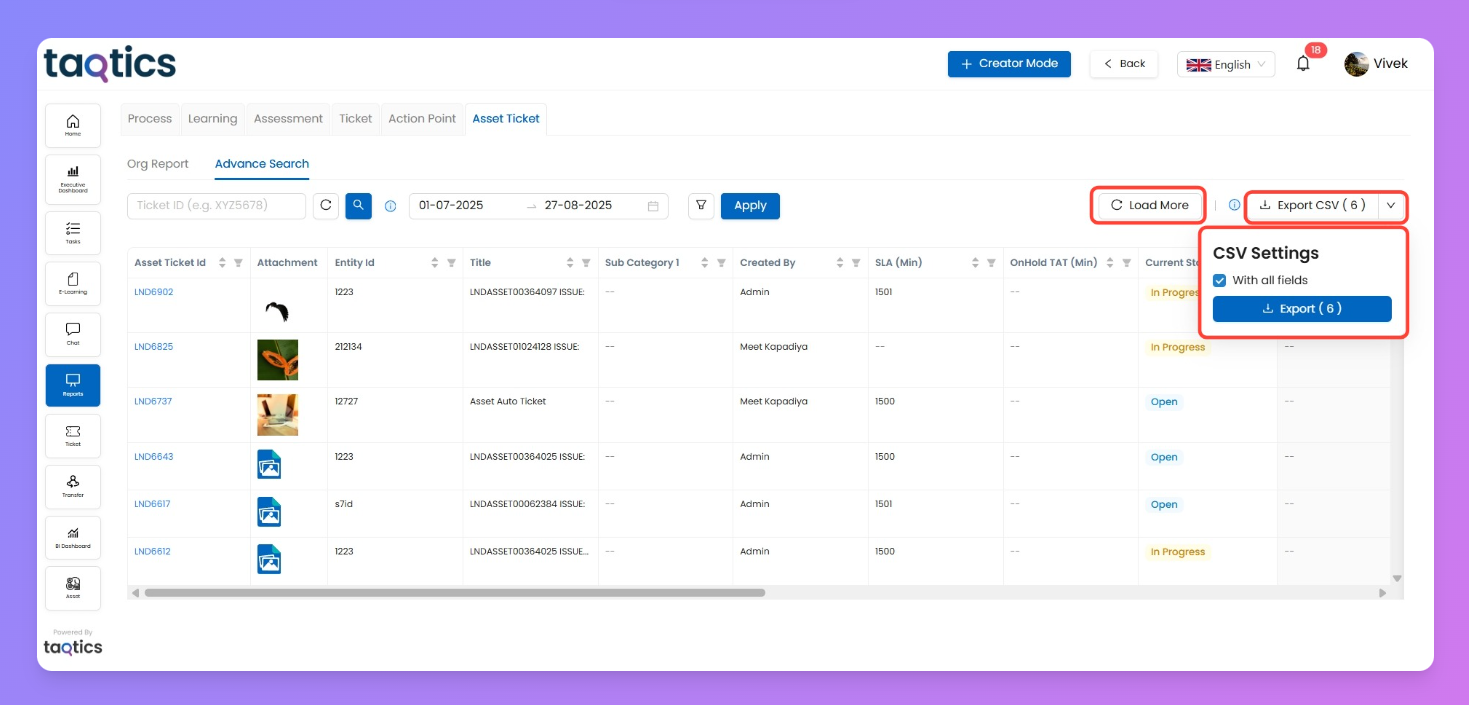
- Load More
For large results, click Load More to keep fetching additional rows into your grid—showing you every match against your filters.
- Export CSV
Once you have your filtered tickets, export them as CSV to work offline, share, or archive your findings. Choose current grid columns or "All fields" for maximum detail.
Difference:
shows you the real-time status of every asset ticket—perfect for tracking today’s open, closed, or pending issues and handling immediate actions.
Advanced Search
lets you review ticket status history in any date range, even if those tickets have moved to a different state since. Ideal for audits, compliance, maintenance analysis, or understanding how tickets changed over time.