
This page collects every ticket raised against asset items in your organization, giving you a full breakdown of issues, follow-ups, and actions tied to your assets. All data is laid out in an easy-to-use grid so maintenance teams and admins always have the full story for every asset at a glance.
Status Bar Details
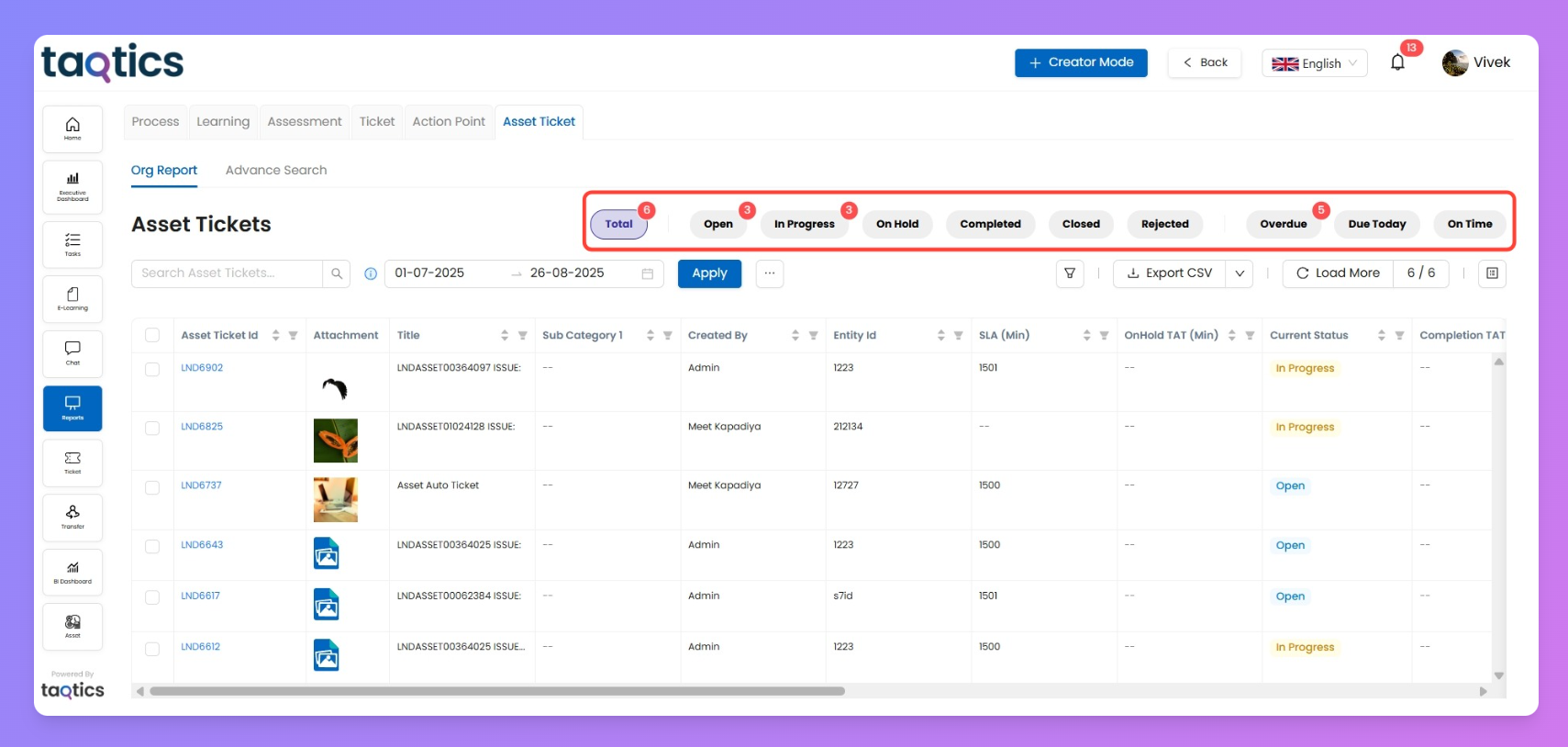
Up top, red chips show live counts for every status:
- Total
- On Hold
- Rejected
- On Time
- Open
- Completed
- Over Due
- In Progress
- Closed
- Due Today
- These status chips are color-coded for easy scanning.
- Clicking any one instantly updates the grid with just those results.
Click any chip to instantly filter the grid to just those tickets, so you can focus fast on what’s open, urgent, or done.
Filters
Search Bar
Type a keyword or asset ticket ID to instantly jump to specific issues—perfect for fast lookups or follow-up checks.
Date Range
Pick your start/end dates and click Apply to show only tickets created in that time window.
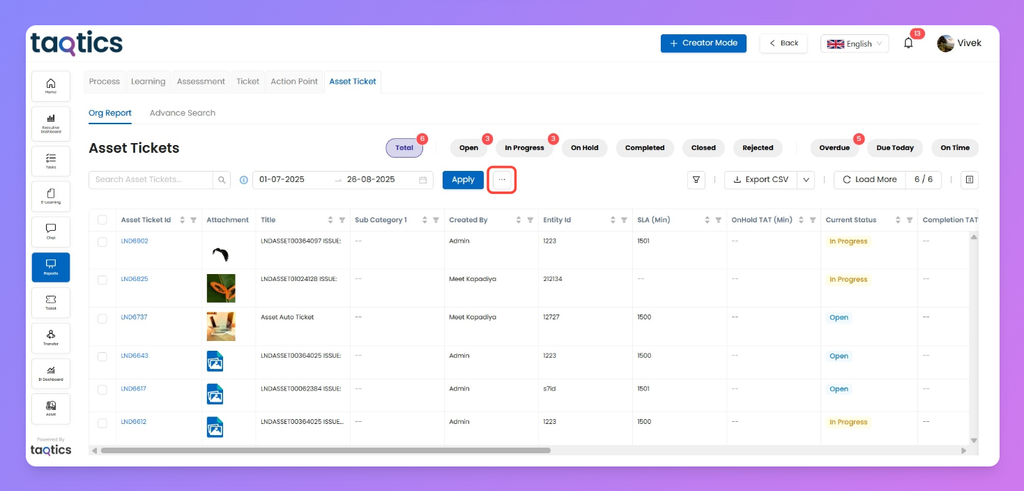
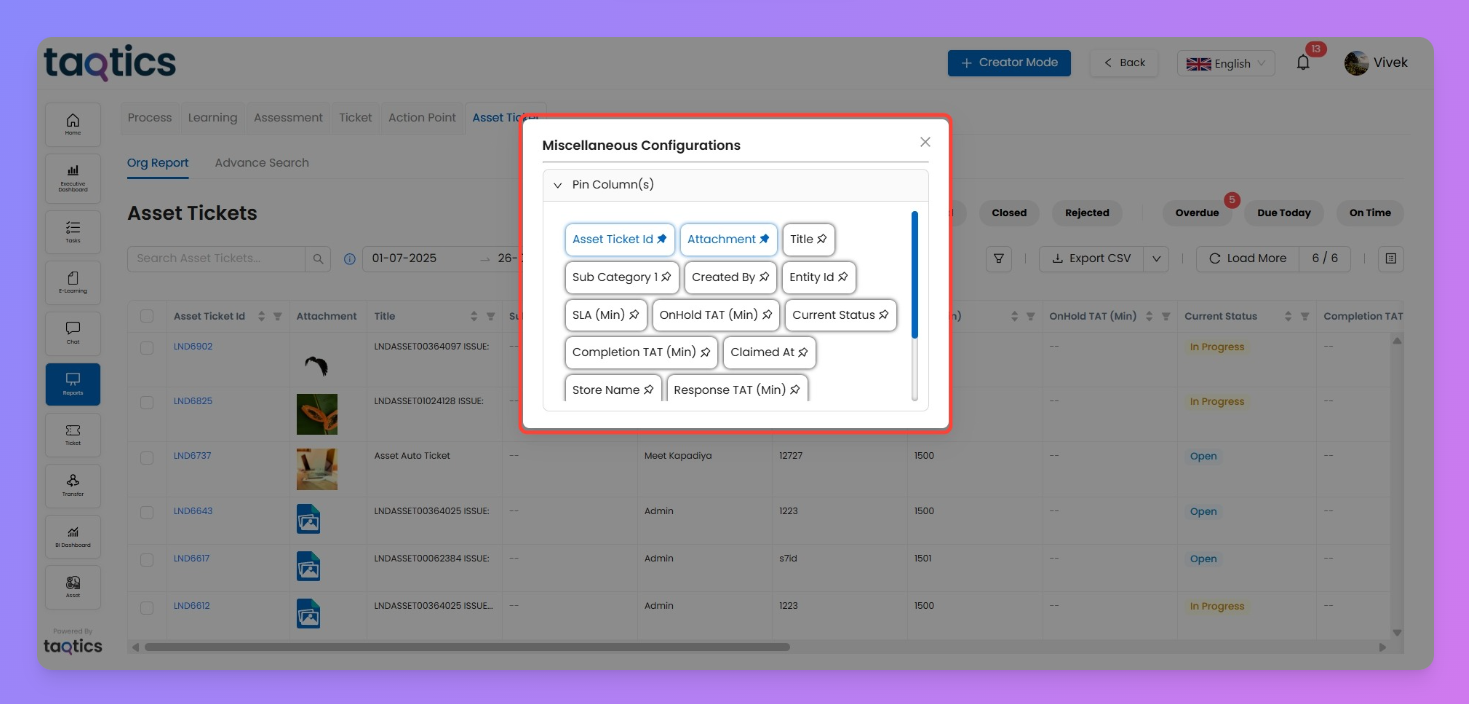
Pin Column Box
Customize your grid—select and pin key columns like Priority, Current Status, or Entity ID, keeping important info always in view as you scroll.
- Advanced Filters
Export CSV
Take your work offline or share with a click. Download what’s shown.
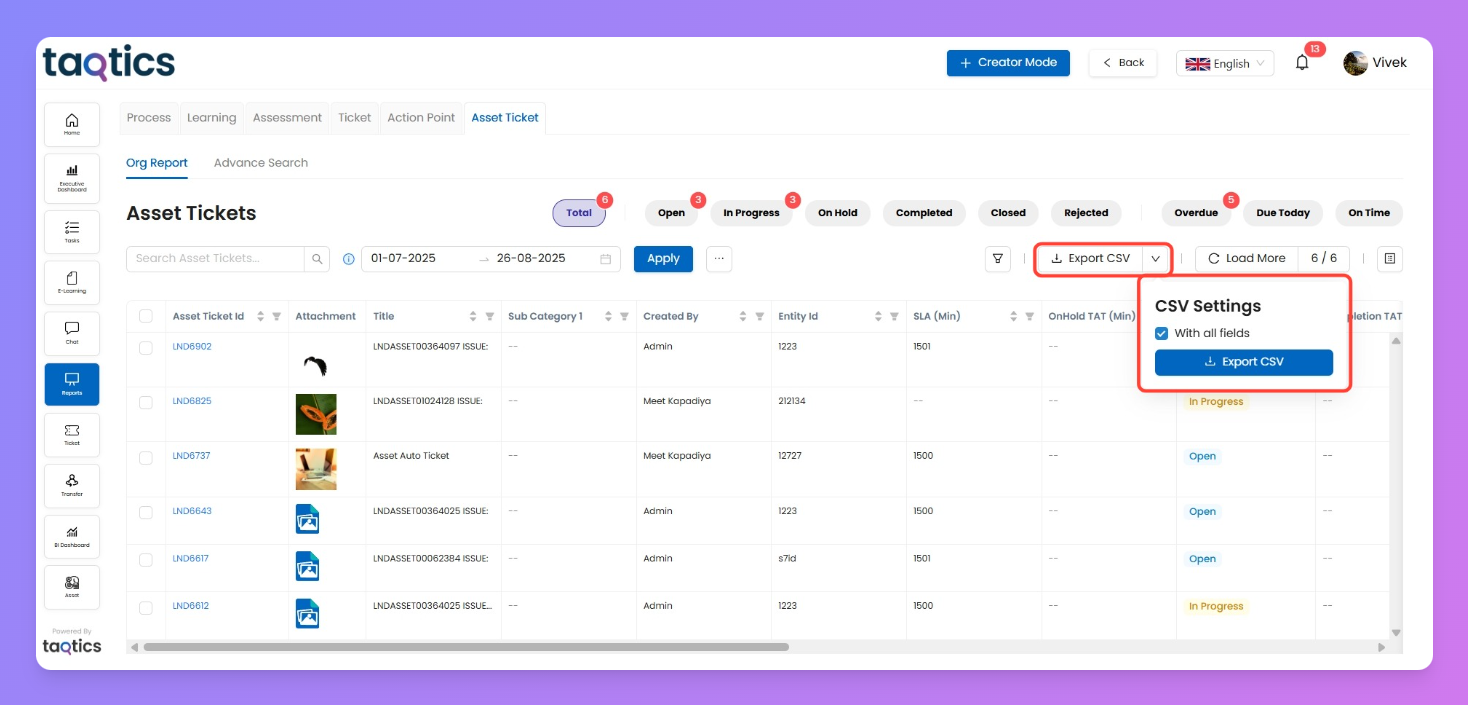
Click "With all fields" to export columns even if they're not currently visible. Handy for reporting and keeping team records sharp.
Load More
Shows the total asset ticket you’re viewing vs. total available (e.g., 156/259). If you’ve got hundreds more, just click on “Load More” and keep scrolling to bring more onto the page.
Column Selection & Reordering
Hit the columns icon to personalize your view—just drag and drop columns to reorder, add new columns, or hide fields that aren’t relevant.
With these controls, the Asset Tickets Org Report makes it simple to manage any issue or update linked to your organization’s assets—all in a format that's fully customizable for your team's needs.