
Learning → My Report
This is a personal learning dashboard — shows your profile, leader board, key learning stats, and a list of all courses you’ve been assigned/started/completed. Use this page to track your own progress and open course-level details.
At-a-glance (top strip / tabs)
My Reportis the personal view (you’re seeing only your data).
- Profile block (left): avatar, name, role, location, Rank / Points and earned badges (e.g. Master Learner).
- Key Highlights (center): quick KPIs:
- Time Spent — total time you spent across courses.
- Course Completed — % of assigned courses completed.
- Quiz Completed — % of quizzes completed.
- Leaderboard (right): top learners in your org; View Leader Board to open full list.
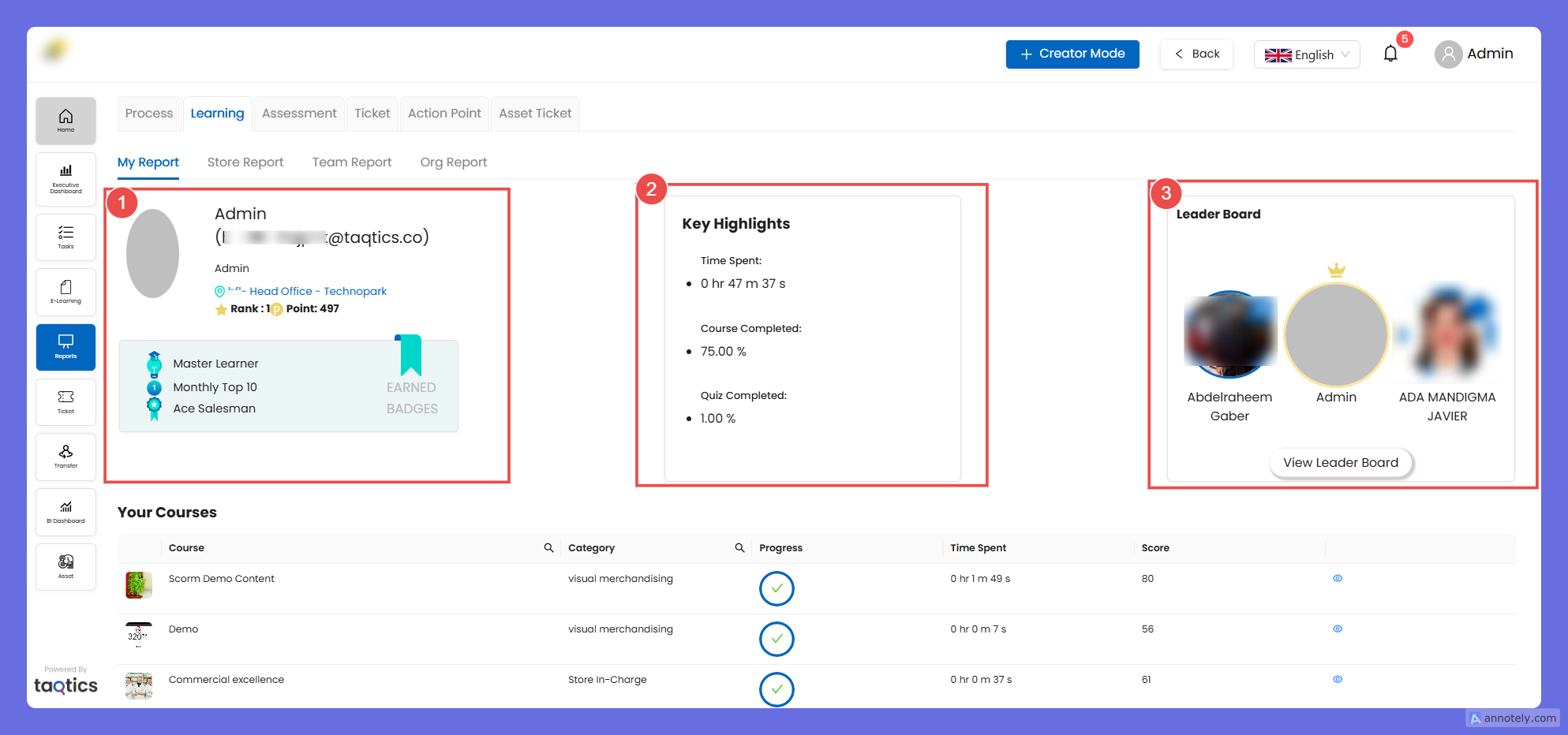
What to expect: this header gives you immediate visibility of performance and recognition (badges / leaderboard). Numbers update as you complete modules/quizzes.
Main area — Your Courses (table)
Columns you’ll see:
- Course — your course title.
- Category — category of the course.
- Progress — circular indicator (tick = completed; partial % = in-progress; 0% = not started).
- Time Spent — total time logged in the course.
- Score — numeric quiz/assessment score (if applicable).
- View / details (eye icon) — open the course detail.
User actions:
- Click the progress circle or eye icon to open course details.
- Progress is calculated from modules completed / total modules for that course.
- If a course has quizzes, their status/score appears in the course detail panel.
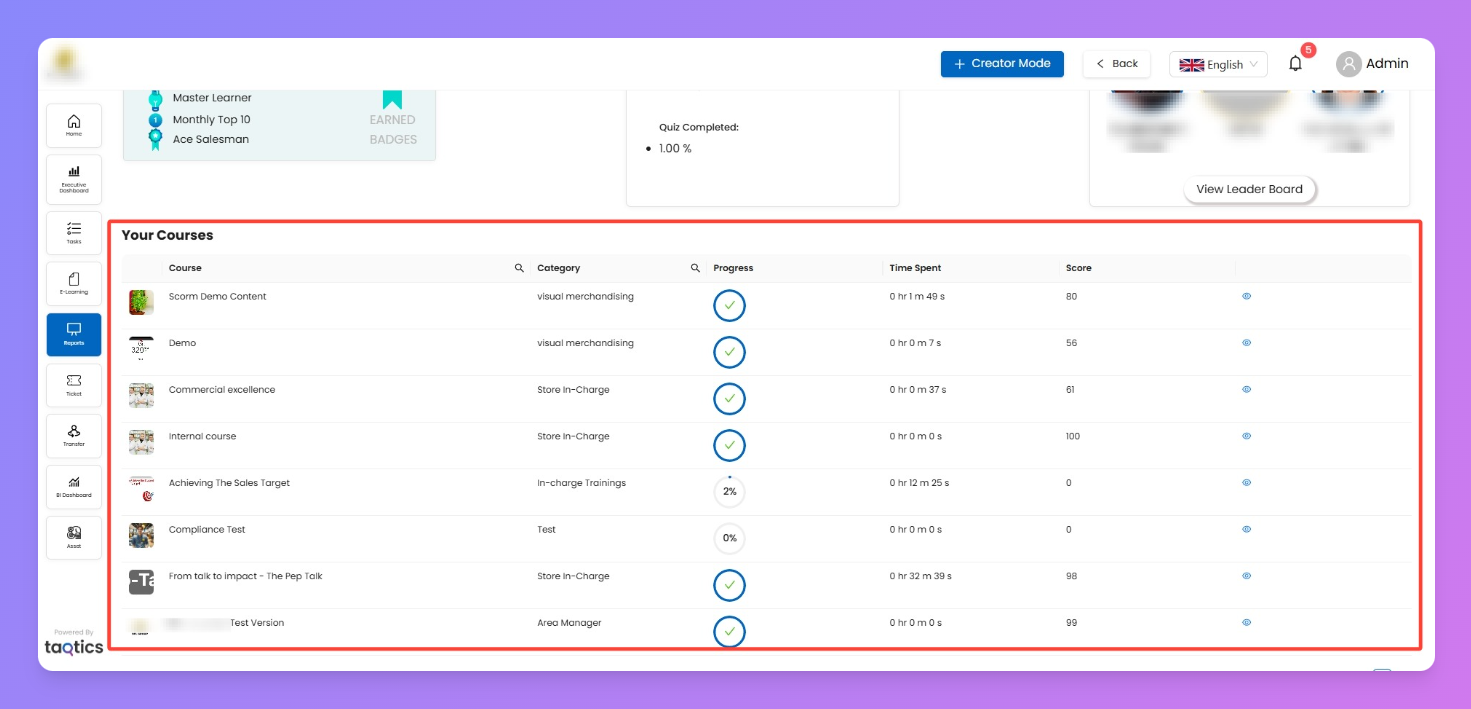
Callout / Tip: badges and leaderboard positions are driven by points/time/quiz scores — use the time and score columns to spot low-engagement courses and prioritize them.