
Learning → Store Report
Short description: Store-level learning dashboard — shows how employees in each store are progressing with their assigned training. From here, you can drill down into individual stores and then into each learner’s detailed report.
Store Report (main grid)
When you switch to Store Report, you’ll see a grid of all stores with learning activity.
Columns you’ll see:
- Entity ID — store’s system ID
- Store Name — official store name
- Employees — number of learners assigned in that store
- Progress — average course completion % of all employees in that store
- Time Spent — cumulative learning time logged by all users in the store
Actions:
- Click a Store Name → opens that store’s employee-level report (see next section)
- Download data → CSV export button (top right)
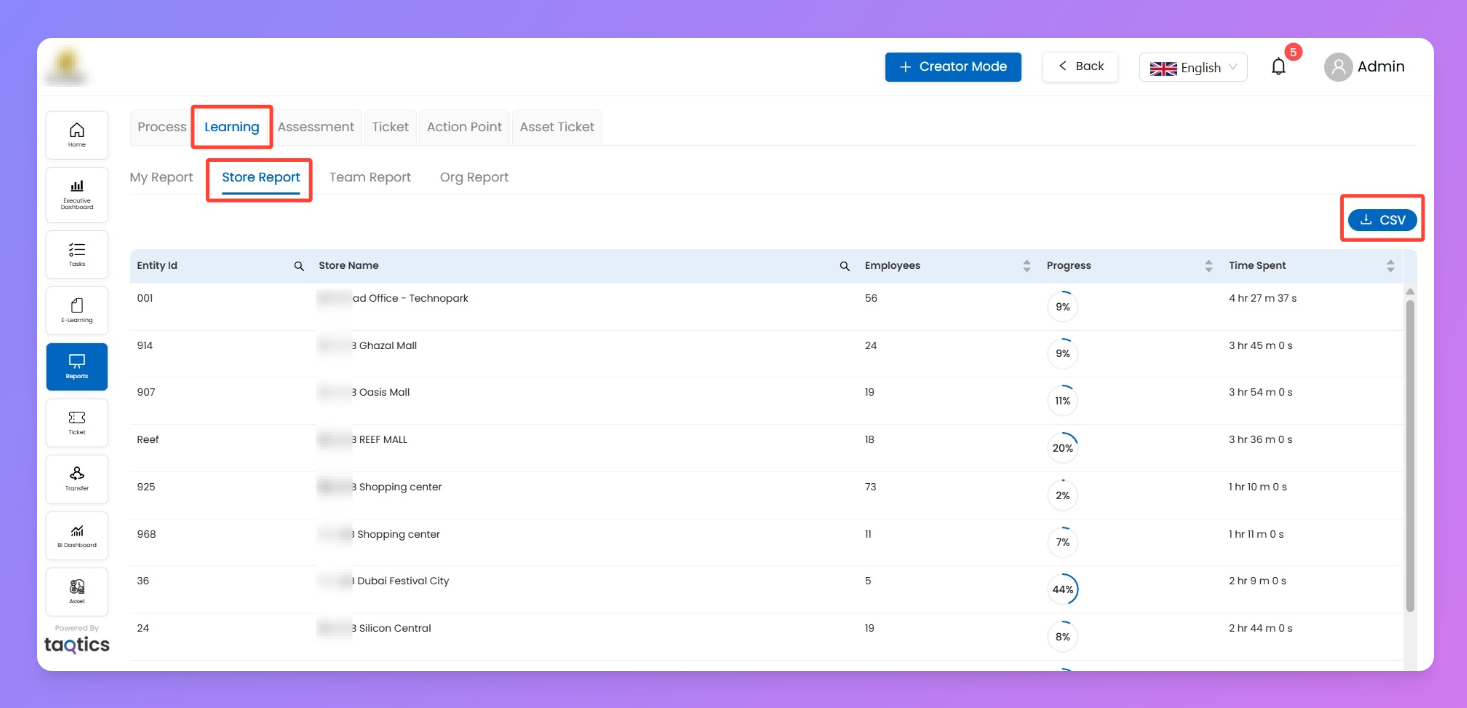
💡 Tip: Use progress % + time spent to spot which stores are actively engaging vs. lagging.
Store → Employee Report (drill-down)
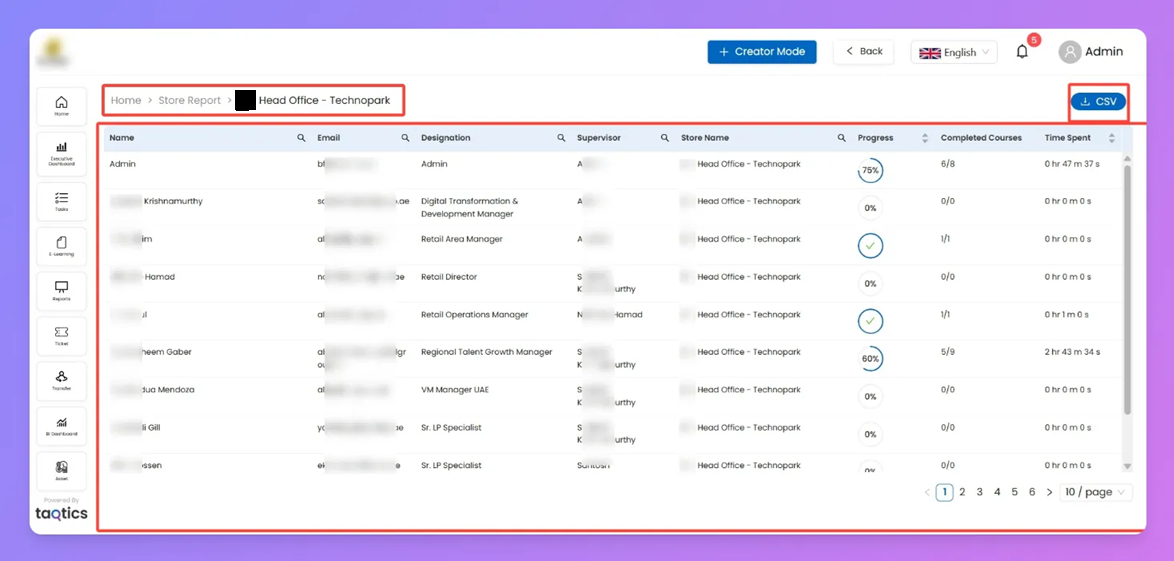
Clicking a store shows you all employees inside that store.
Columns you’ll see:
- Name — learner’s name
- Email — registered email ID
- Designation — role of the learner
- Supervisor — reporting manager
- Store Name — confirms store context
- Progress — completion % across all courses
- Completed Courses — ratio of finished vs. assigned (e.g. 5/9)
- Time Spent — learning time logged for this person
Actions:
- Click a learner’s name → opens their personal course report
- Download employee grid as CSV
Learner Detail (within Store Report)
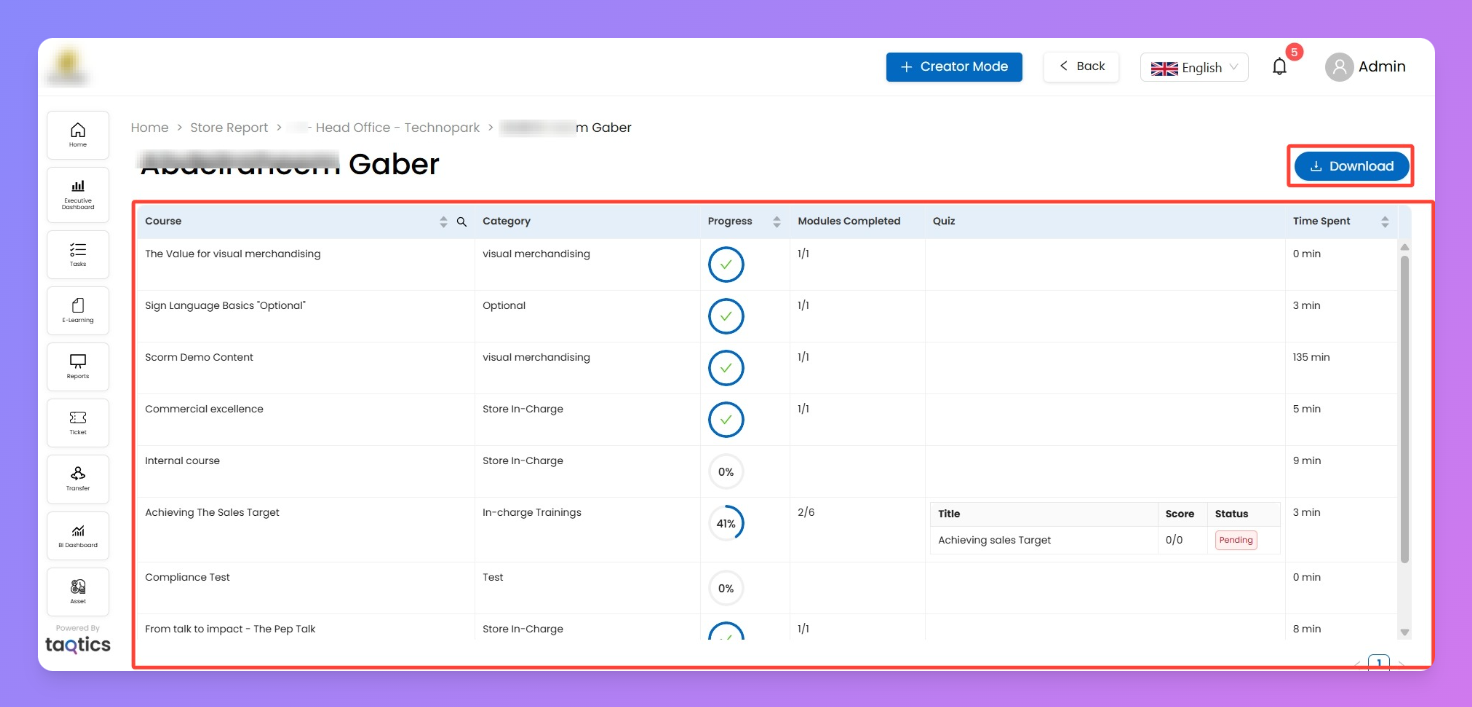
Final level — per-learner detail view.
Columns you’ll see:
- Course — course title
- Category — training type/category
- Progress — completion % of modules
- Modules Completed — e.g. 2/6
- Quiz — quiz details (Title, Score, Status)
- Time Spent — total time logged on that course
Actions:
- Download learner’s report (top right)
- Use % + modules to spot blockers
- Quiz section shows pending/completed + scores
Behaviour & Notes
- Navigation flow: Store Report → Store Grid → Click Store → Employee Grid → Click Employee → Learner Report
- CSV exports available at every drill down
Use cases
- Manager view → track stores behind on training → drill down to employees
- Employee coaching → low progress + high time spent = may need extra help
- Compliance check → use Completed vs. Assigned for mandatory programs