
What is setting up a Process at Taqtics?
Processes are the heart of Taqtics—this is where your team’s daily workflows come to life. Whether it's opening tasks, daily hygiene checks, or month-end audits, you can build them all into custom, repeatable processes. This section will guide you through how to create, configure, and launch your own process from scratch.
Want the full deep dive? Scroll down and check out the three sub-pages that break down each step of the setup: adding questions, setting properties, and publishing your process.
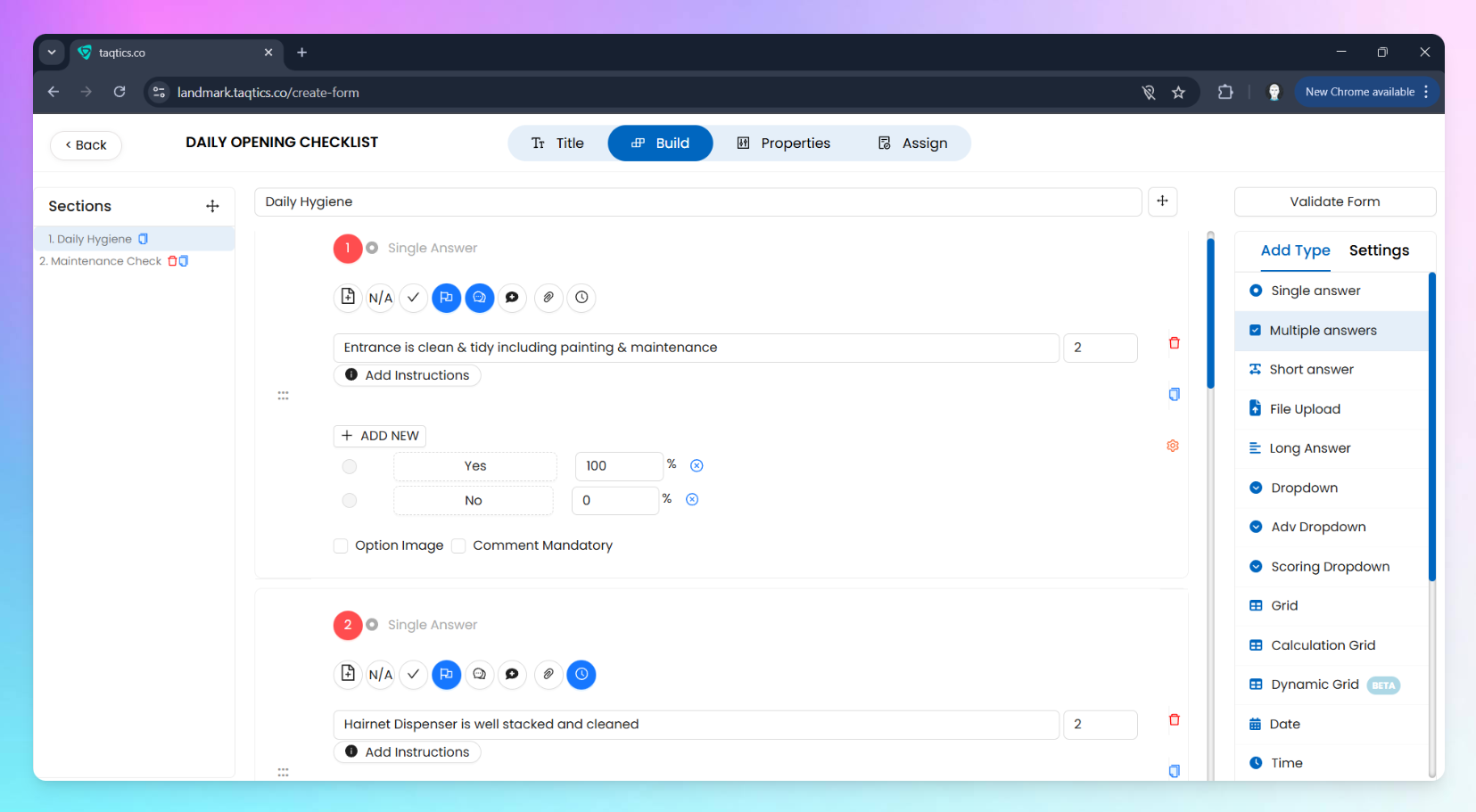
Quick Steps to Set Up a Process
- From the landing page, tap the Creator Mode button on the top-right corner.
- Click Processes & Workflow under the Creator Mode column.
- Hit + New under Process.
- Add a Title and Description for your process. Use Process Tags to group processes under categories
- Now, switch to the Build tab:
- Start adding your questions.
- Organize them using sections or pages.
- Go to the Properties tab:
- Choose settings like process frequency, visibility rules, reminder logic, and more.
- Head over to Assign tab:
- Select who should fill it and from which stores.
- Hit Publish—you’re live!
Continue With 👇
Configure Questions & Features Set Process PropertiesAssign & Publish Your Process