
Reviews let multiple people check the same process submission at different levels (L1, L2, L3…). To activate reviews, you’ll first enable them at the process level, then configure each question to decide how it should be reviewed.
Steps to Turn On Review
- Enable Process Review in Settings
- Go to Build tab → Settings.
- Toggle Process with Review.
- This will add a new
Enable Question Reviewadd-on icon to all questions in your process (just like Action Point, N/A, or Attachment).
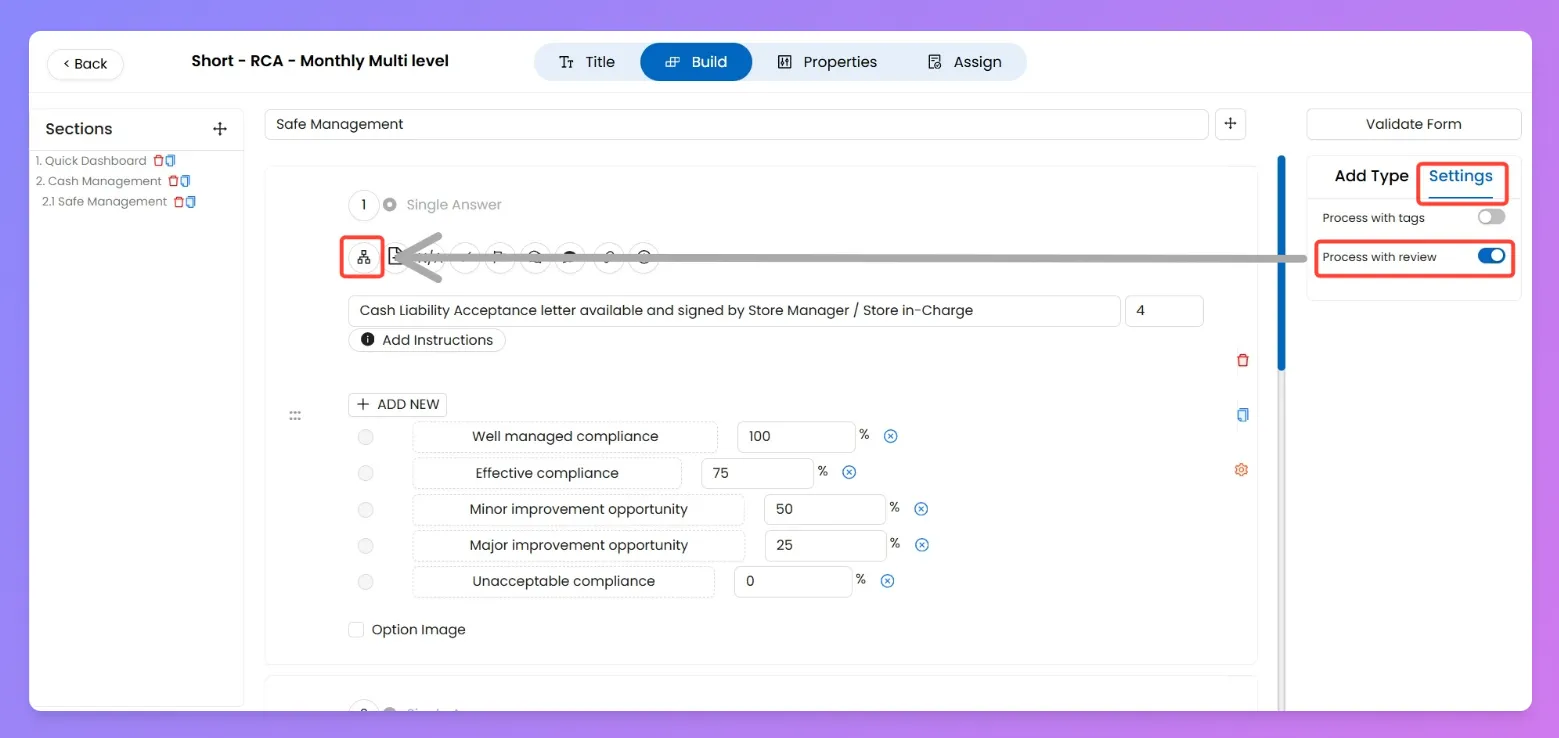
Process with Review (global toggle) → adds review capability to the whole process.
- Enable Review on a Question
- Open the question you want reviewed.
- Click the
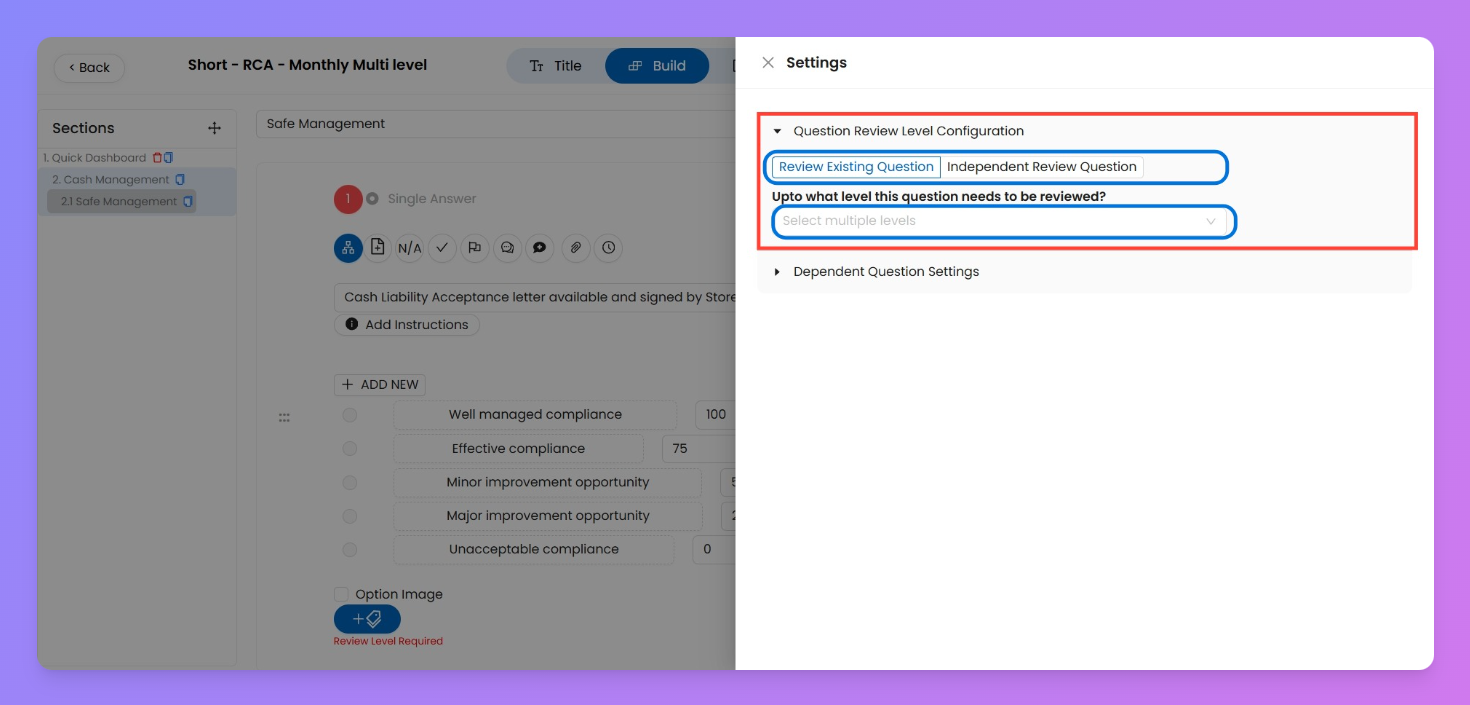
Enable Question Reviewadd-on icon. - Go to that question’s Settings → Question Review Level Configuration.
Review add-on per question → defines how each question behaves in the review flow (multi-level vs single independent reviewer).
- Choose Review Type
- You’ll see two options:
- Review Existing Question
- Select multiple levels (e.g., L1, L2, L3).
- Each selected reviewer will see the submitter’s (L0) answer, and can also add their own response.
- Independent Review Question
- Assign to one specific level only (e.g., L3).
- This question will only be visible to that level and no one else.
- If you try to select multiple levels, the last one chosen will overwrite the previous.
- Review Existing Question → Best when higher levels (managers, supervisors) should verify or add comments to the same answer.
- Independent Review Question → Best when certain questions are meant for a specific reviewer only, not for the submitter or other levels.
Why This Matters
Example Use Cases
- Audit Check Flow
- L0 Auditor fills the checklist.
- L1 Store Manager and L2 Area Manager both review the same answers (Review Existing Question).
- Ensures checks are validated at multiple levels.
- Specialist-Only Question
- Certain compliance questions should only be answered by the Regional Quality Head (L3).
- Configure as Independent Review Question, so only L3 sees it.