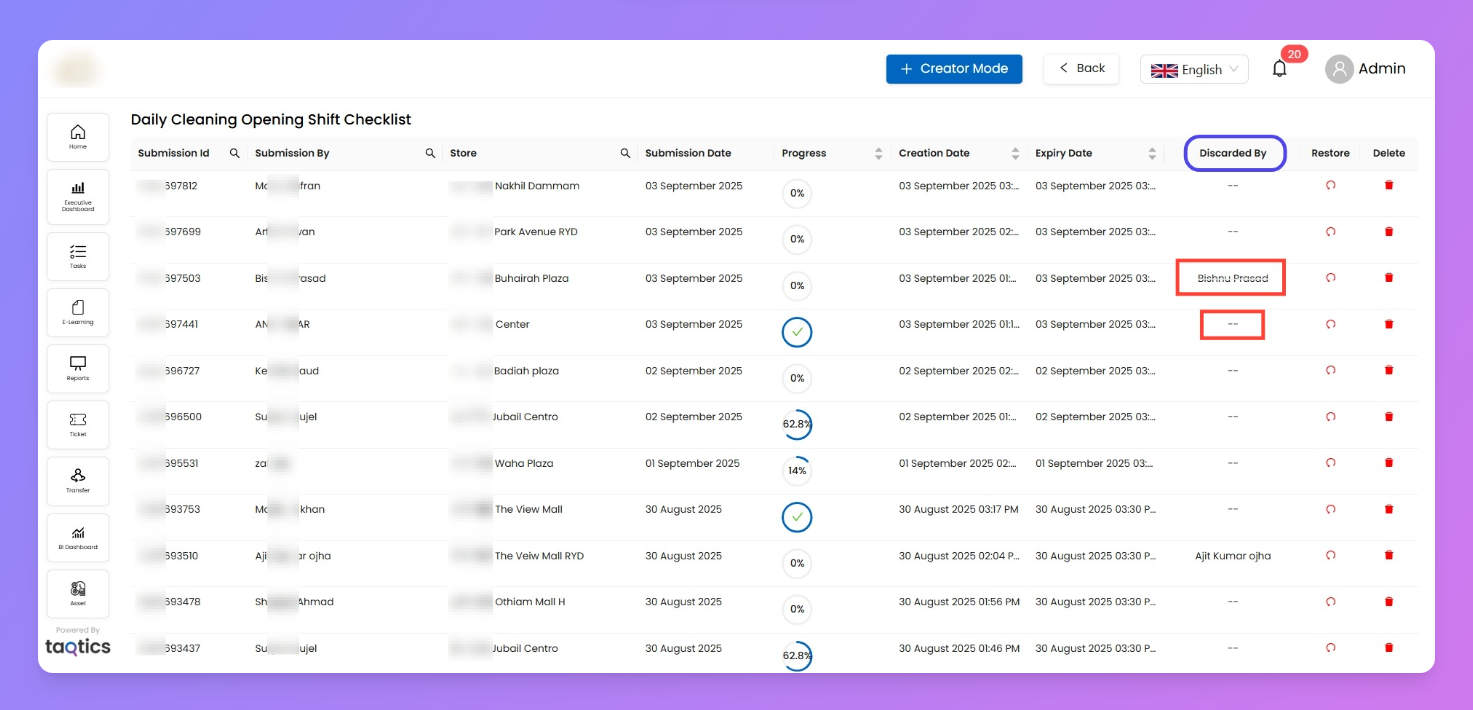
Expired Submissions — Process
A maintenance view for process or audit drafts that missed their period cut-off or were deleted by a user mistakenly. Use it to restore an employee’s work back to their Old Drafts or delete it permanently.
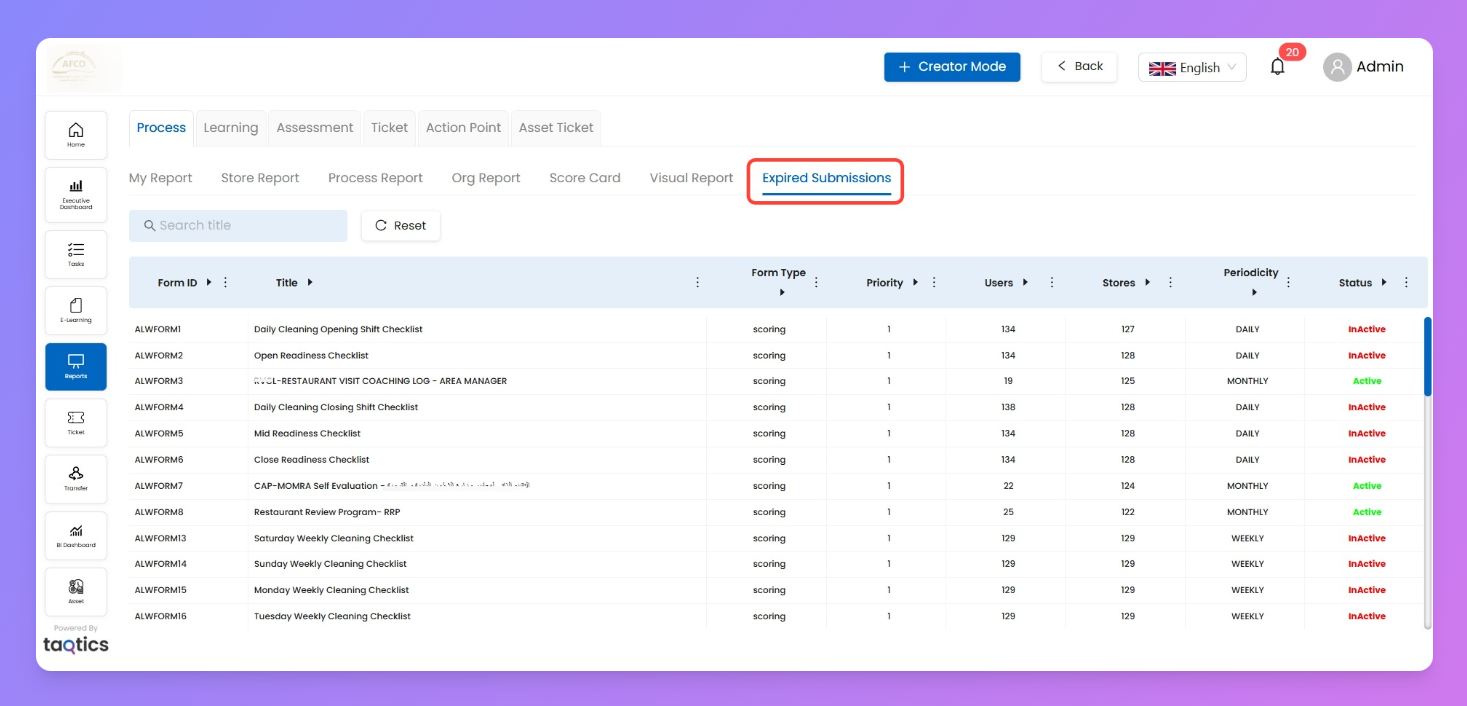
How to reach
- Reports → Process → Expired Submissions (tab).
- Pick a process from the list to open its expired drafts grid.
When items appear here (rules)
- Cut-off enforced (If Config of “Responses after end time” is set to Rejected)
Drafts that were saved but not submitted before the end time move here automatically.
- Late responses allowed (If Config of “Responses after end time” is set to Accepted)
Nothing lands here due to allowed submissions even in cut-off period. Those drafts stay available to users under Old Drafts on their process page.
- User deleted their own draft
The deleted draft always appears here (irrespective of the configurations done for “Responses after end time”).
Where this is set: The “Accept/Reject after end-time” toggle lives in Process/ Audit Properties → Responses After End-Time.
Page layout (per process)
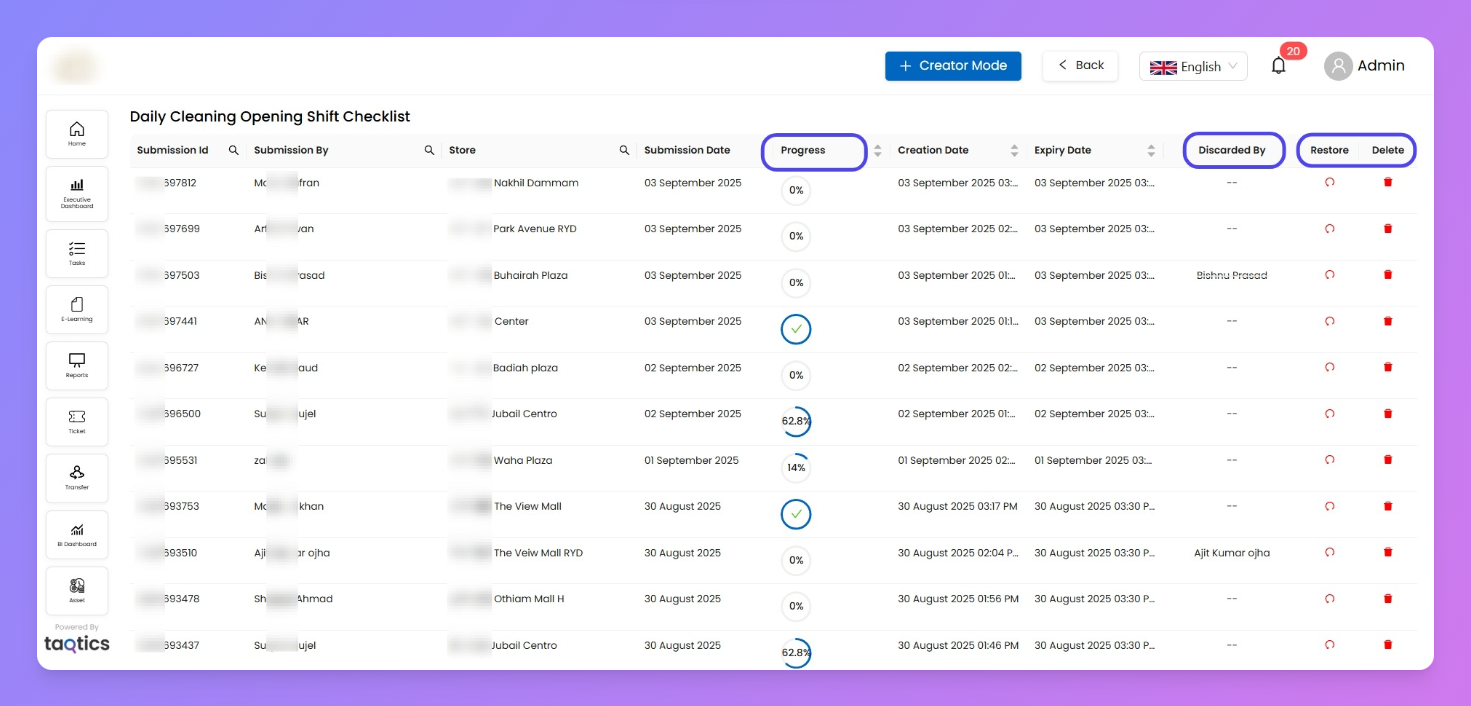
- Columns you’ll use
- Submission Id / Submission By / Store / Submission Date
- Progress – % completion of the draft at the moment it expired/was deleted.
- Creation Date / Expiry Date
- Discarded By
-→ system moved it here because the period expired.- User name → the submitter deleted their draft.
- Restore | Delete
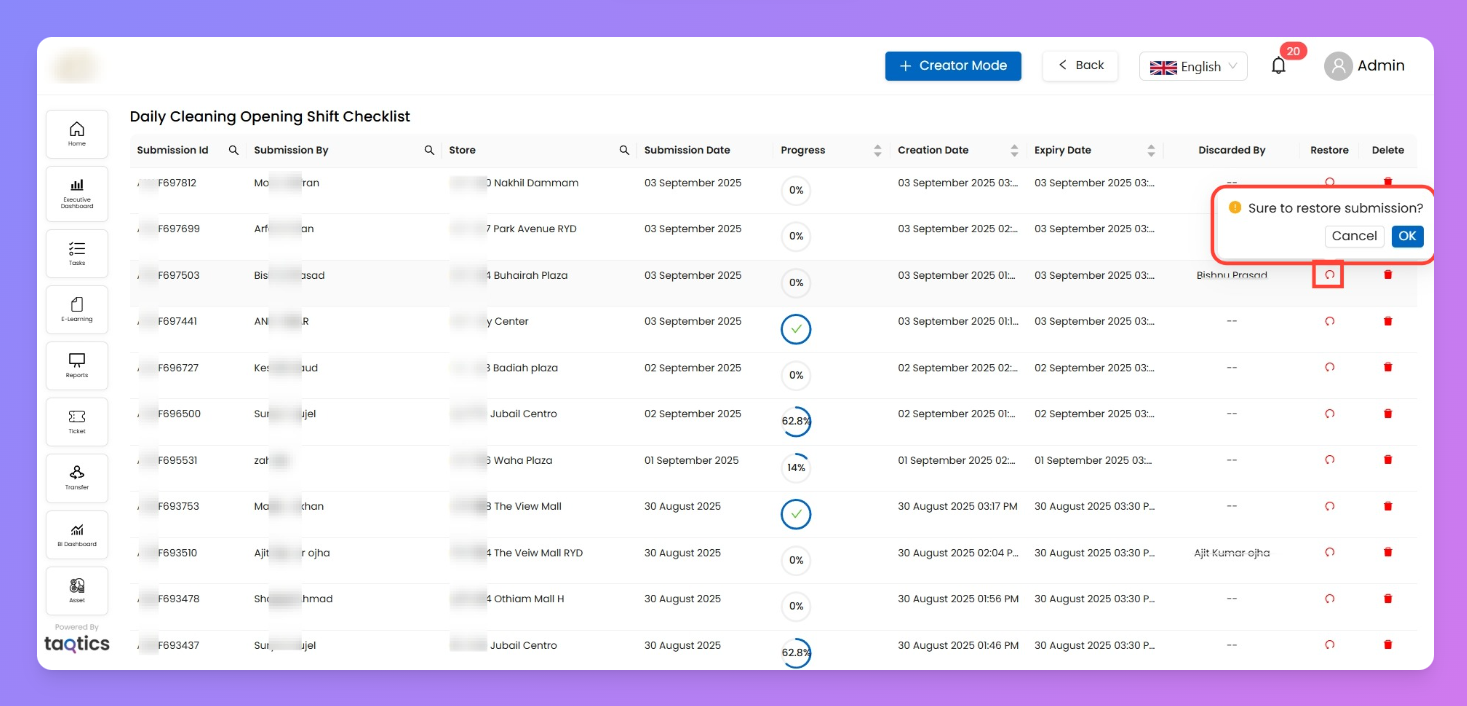
Actions
- Restore
Sends the draft back to the submitter’s Old Drafts (not Current Draft) for that process/period.
- Delete
Permanently removes the draft.
Tip: Sort or scan by Progress (column) to quickly spot high-effort drafts (e.g., 80–90%) you may want to restore.
Notes & edge cases
- Only unsubmitted work shows here; submitted checklists never appear.
- Restoring does not reopen the period; it merely returns the draft to the user’s Old Drafts list.
- Use Discarded By to diagnose why a draft expired:
-→ cut-off time passed.- Name → user removed it by mistake (or intentionally).