
My Report – Process
This page is your personal space to track every checklist, audit, or process connected to your own submissions. Whether you’re the one submitting or reviewing, only the activity you directly performed will show here.
Tabs: Assigned Tasks vs Reviewed Tasks
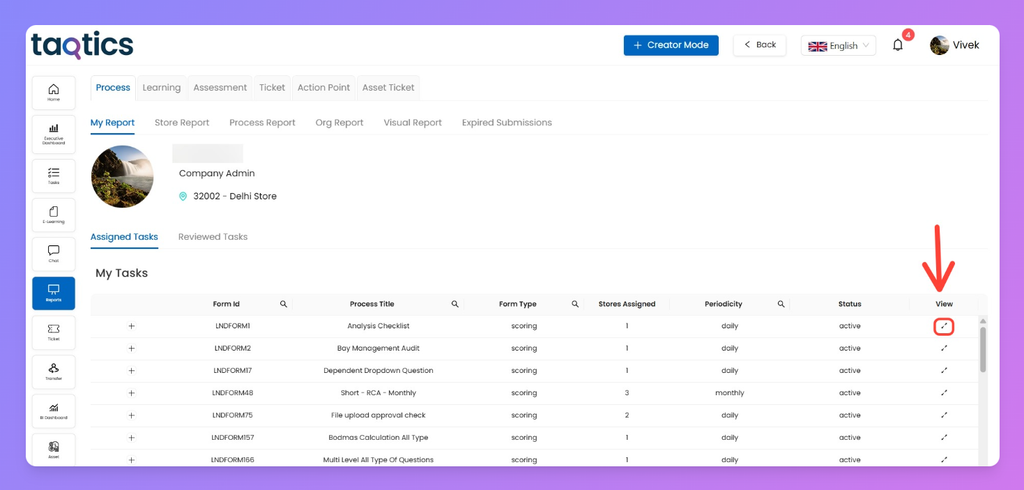
- Assigned Tasks
- Lists all checklists/forms that were assigned to you.
- Columns include Form ID, Title, Type, Store Count, Periodicity, and Status.
- Click the “+” to expand and see submission history:
- Progress bars → track completion across cycles.
- Compliance lines → track adherence % over time.
- The X-axis matches periodicity (daily, weekly, monthly).
- To see full details of a specific submission:
- Go to the View column on the right.
- Click the expand icon ↗.
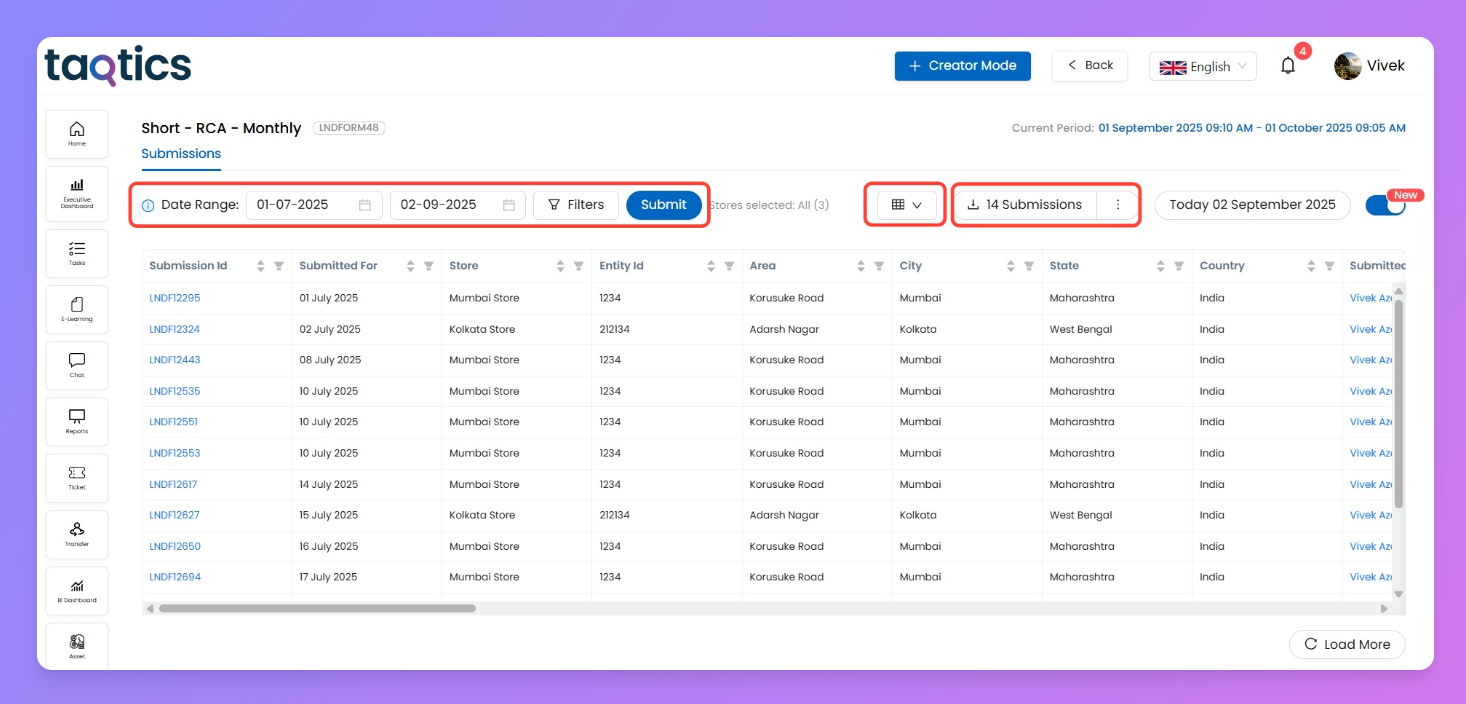
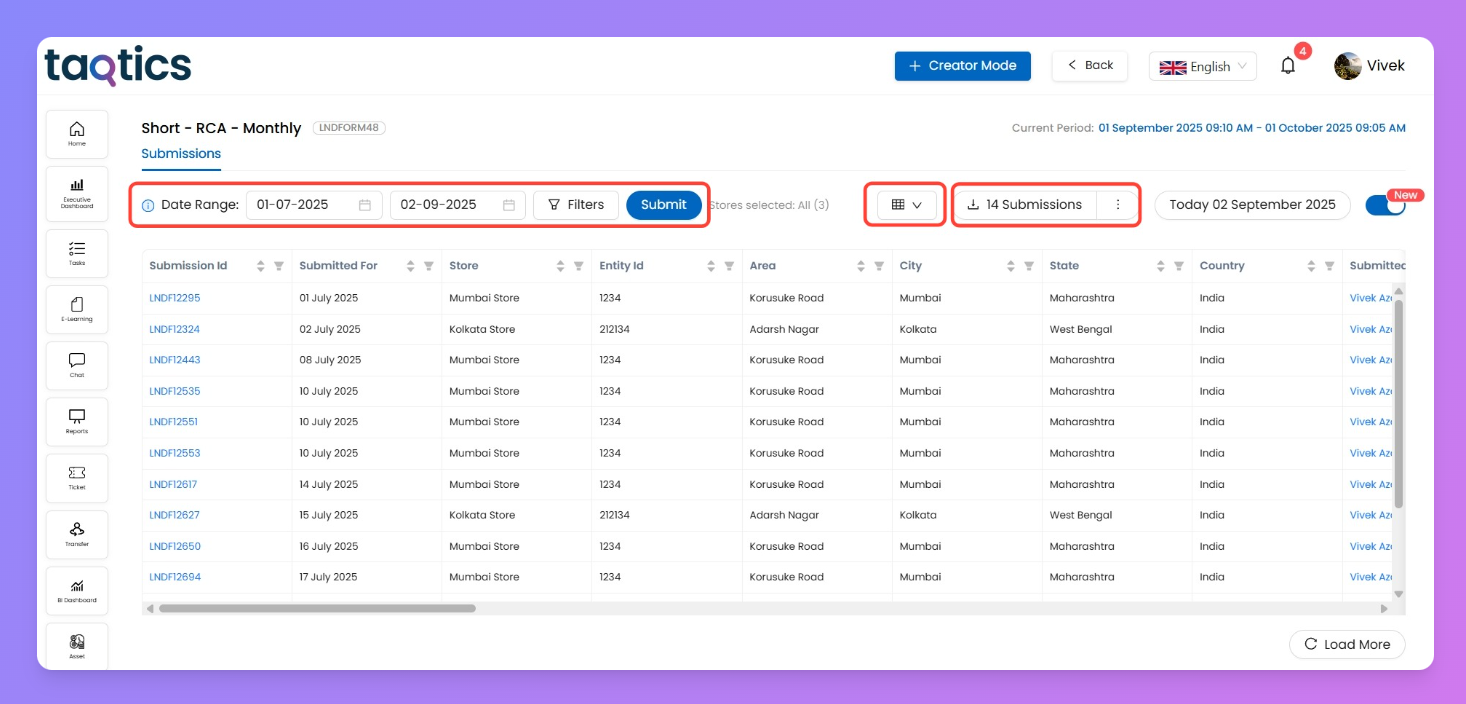
- This opens the detailed submission page, where you can:
- Filter by date range or store tags.
- Decide which fields to display in the grid.
- Download all filtered submissions as CSV.
- Important: If a checklist was assigned to multiple users or even filled by multiple users, only your submissions appear under your account.
- Reviewed Tasks
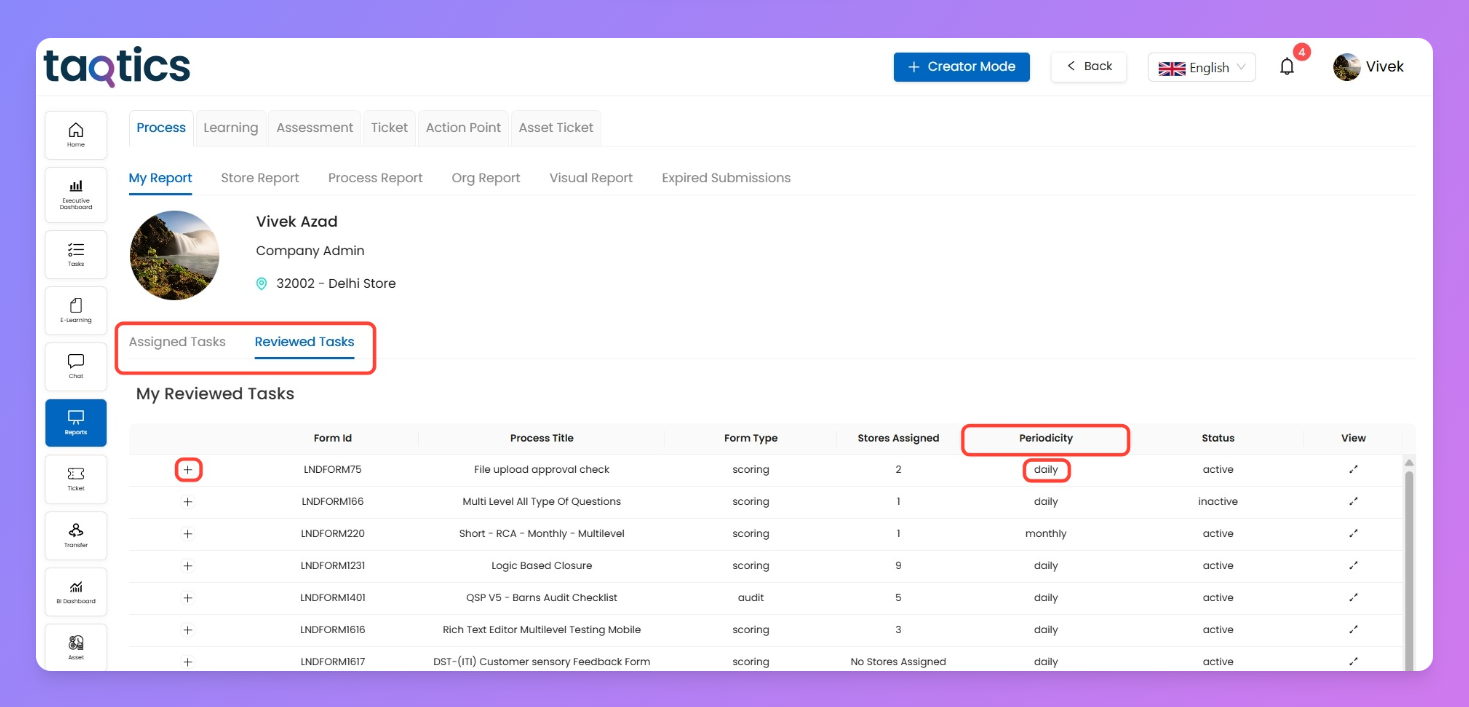
- Visible only if you’re added as a reviewer (L1, L2, etc.) for multi-level checklists.
- Shows every submission you’ve reviewed personally.
- Columns remain the same as Assigned Tasks.
- Expand with “+” to check your review history with progress & compliance graphs.
- Again: If others also reviewed the same checklist, you’ll only see the reviews you performed.
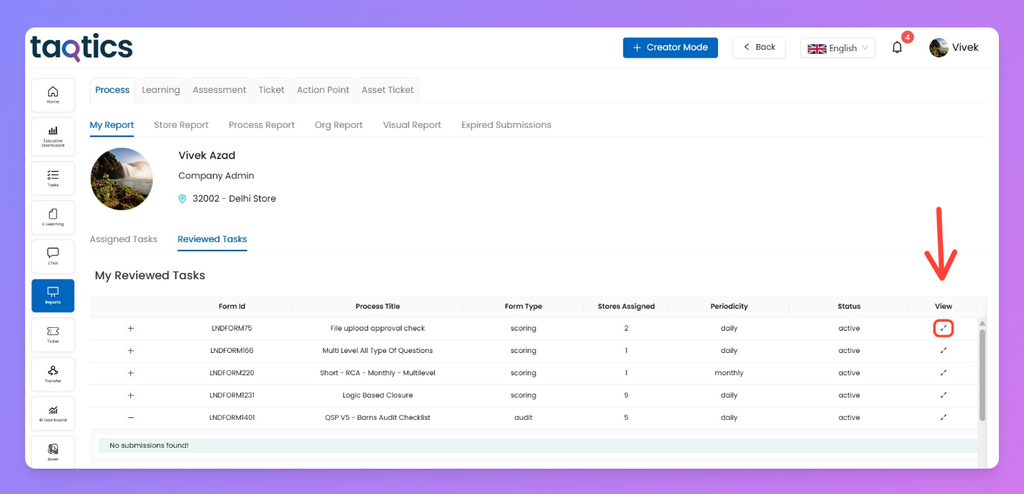
- To open the full submission:
- Navigate to the View column.
- Click the expand icon ↗.
- Access submission details with the same tools (filters, field selector, CSV download).
- Important: If a checklist was filled by multiple reviewers like L0, L1 etc users , only your submissions appear under your account.
How it works
- All submissions here are user-specific → only what you submitted or reviewed shows up.
- Expand rows with “+” for history & performance graphs.
- Use the View ↗ icon to drill into a specific submission with filters, export options, and full details.